Howdy! How can we help you?
Carousel And Media
Carousel
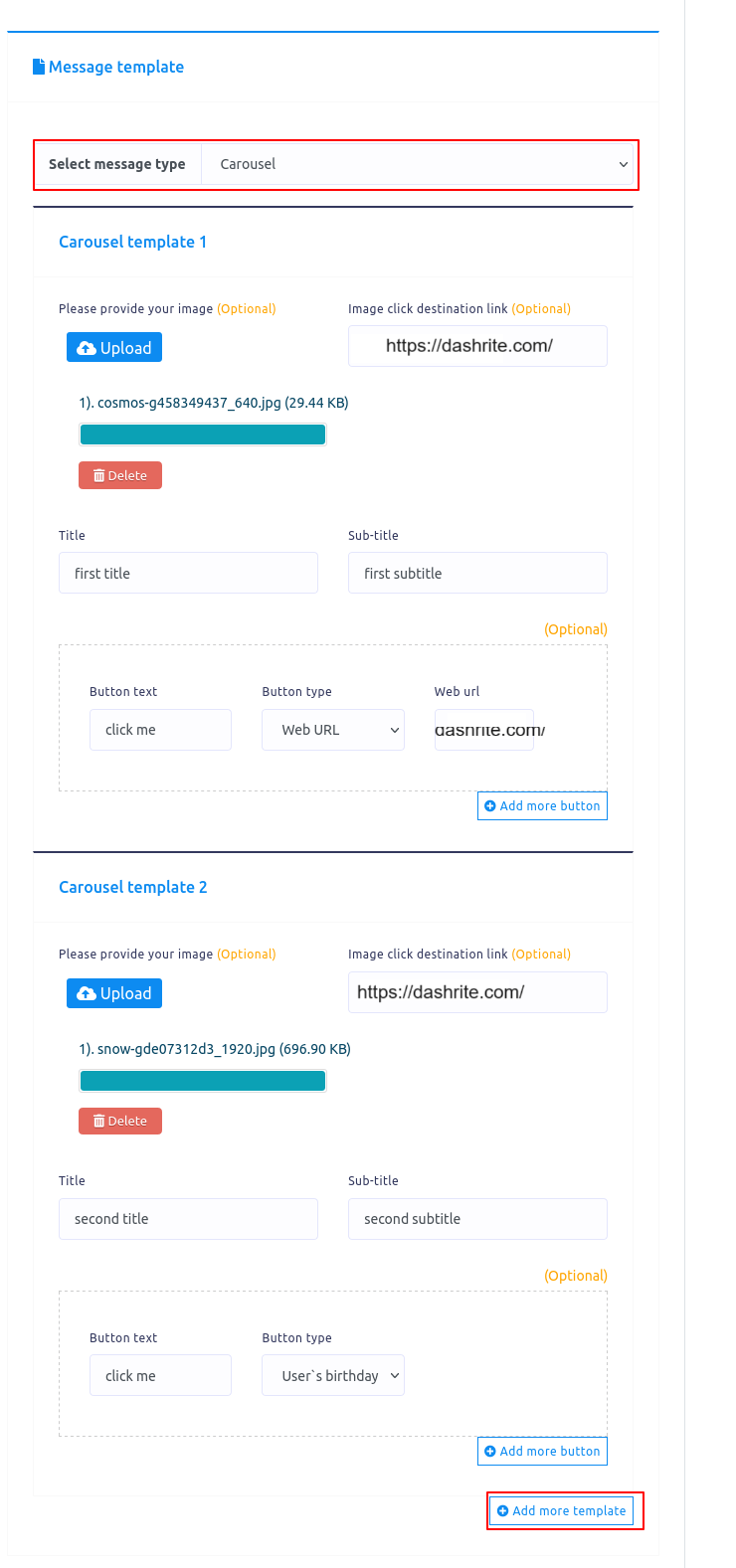
If you select carousel as the message type, the same fields as the generic template will appear. Now, you have to fill out the fields. Below the fields, you will see the add more button and the add more template button. If you want to add more buttons, click on the Add More button. If you add more templates, click on the Add More Template button.
To make a carousel, you need at least two templates.
Media
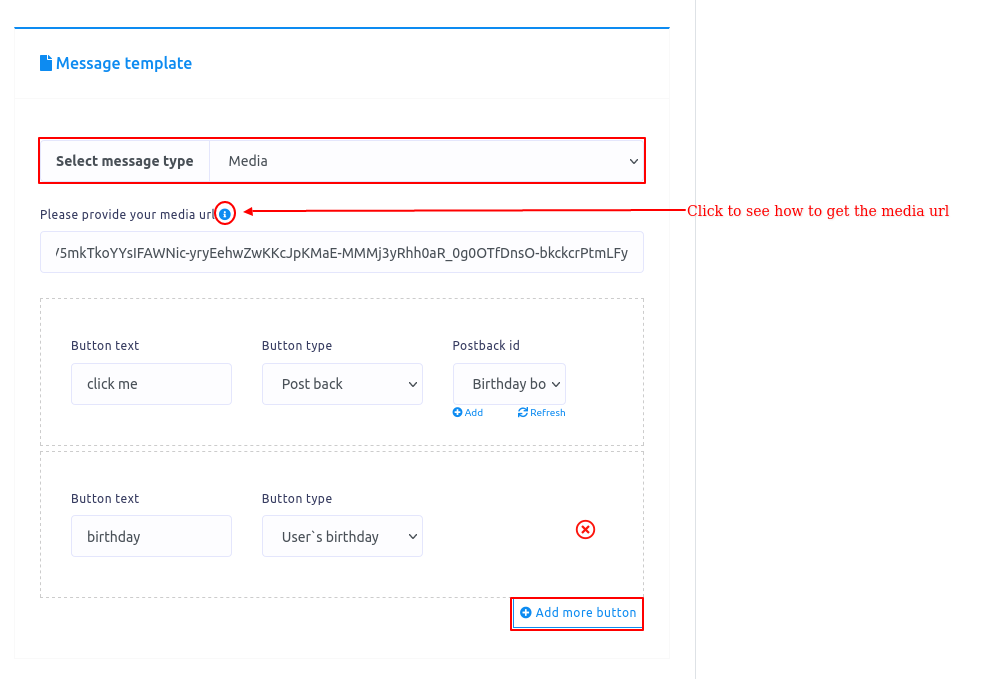
If you select Media as the message type, some fields – media url, button text, and button type – will appear. Now, you have to fill out these fields. Click on the tooltip to see how to get the media url.
You can add more buttons by clicking the Add More button.