
API Channels
API Channels
The API Channels section covers all API settings in one section, and one can explore briefly what types of APIs need to be set up to complete Dashrite Multi-Marketing.
We have divided the APIs into Four Sections (also navigate in the left sidebar), which are as follows:
- Social Medias
- Email Autoresponder
- SMS API
- Woocommerce APi
- Email API
- Open AI
Email Autoresponder
Besides all other unique features, Dashrite Multi-Marketing has also integrated some third-party email management tools to autoresponder emails from the system. Five email autoresponders are integrated, sending collected emails from the Dashrite Multi-Marketing platform to the corresponding autoresponders, which will be added to the autoresponder email lists. Dashrite Multi-Marketing email Autoresponders are :
- Mailchimp
- Sendinblue
- Acelle/Dmail
- Mautic
- ActiveCampaign
Mailchimp
You can now integrate MailChimp into Dashrite Multi-Marketing. With this feature, all the emails collected from Messenger Quick Reply or user sign-up will automatically be added to your desired MailChimp list.
Integration procedure:
Click on the MailChimp, and you’ll be redirected to the MailChimp account adding section.
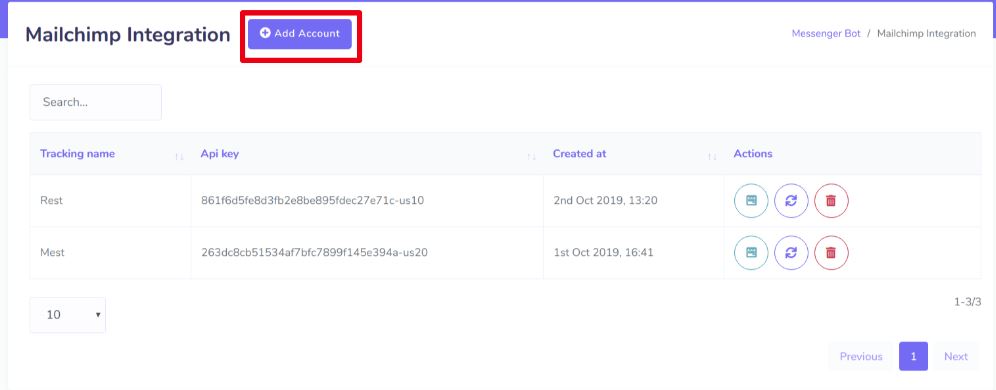
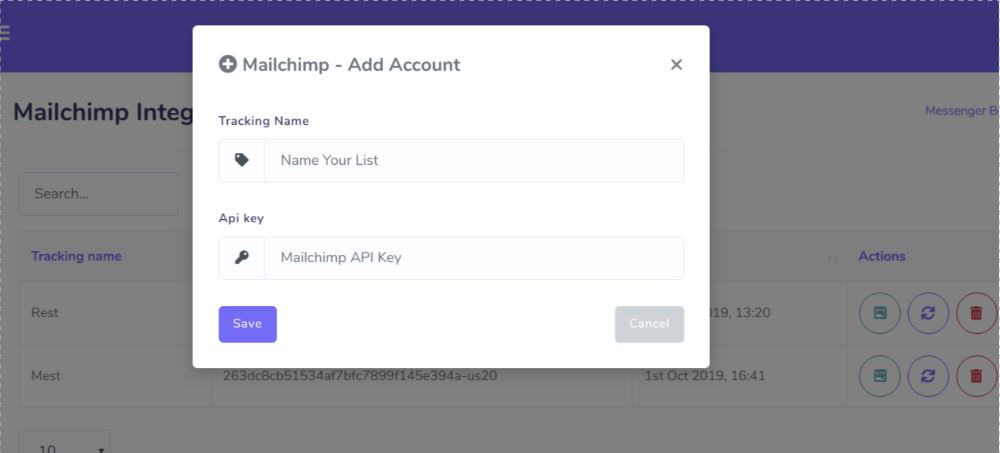
Click the Add Account button. A popup window will appear to put the API key and Tracking Name. Please provide your MailChimp account API key and a name so you can recognize it later.
Sendinblue
By integrating Sendinblue, all the emails collected from messenger Quick Reply or users’ sign-ups will automatically be added to your desired Sendinblue list.
Integration procedure:
Click on Sendinblue to be enrolled in the Sendinblue account adding section.
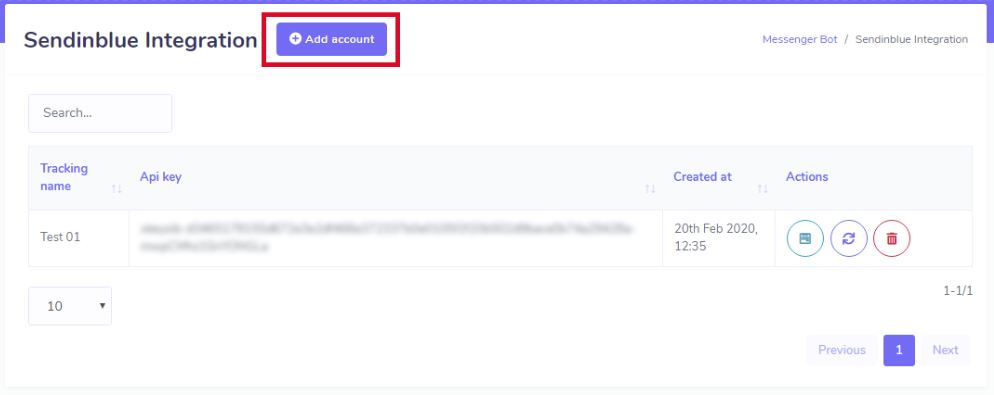
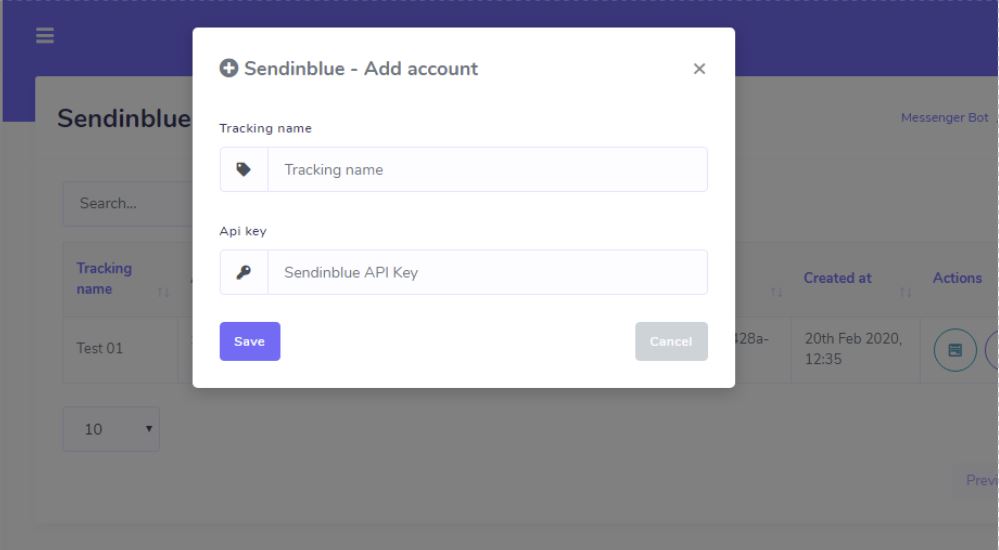
Click the Add Account button. A popup window will appear to put the API key and Tracking Name. Please provide your Sendinblue account API key and a name so you can recognize it later.
Mautic
Integrating Mautic will automatically add all the emails collected from messenger Quick Reply or users’ sign-ups to your desired Mautic list.
Integration procedure:
Click on the Mautic, and you’ll be redirected to the Mautic account adding section.
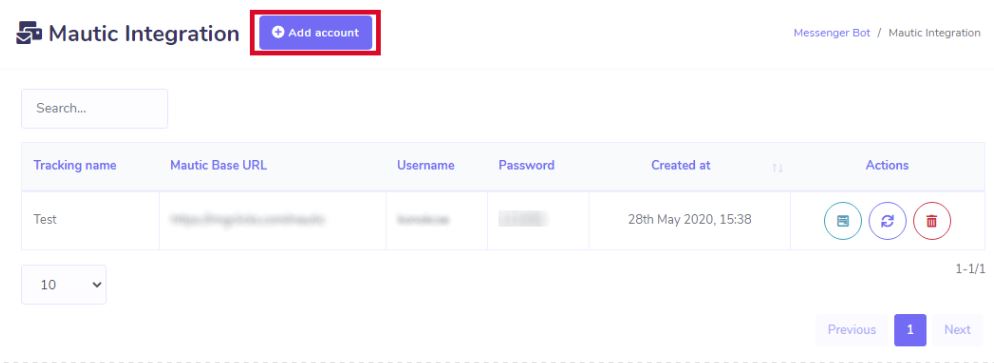
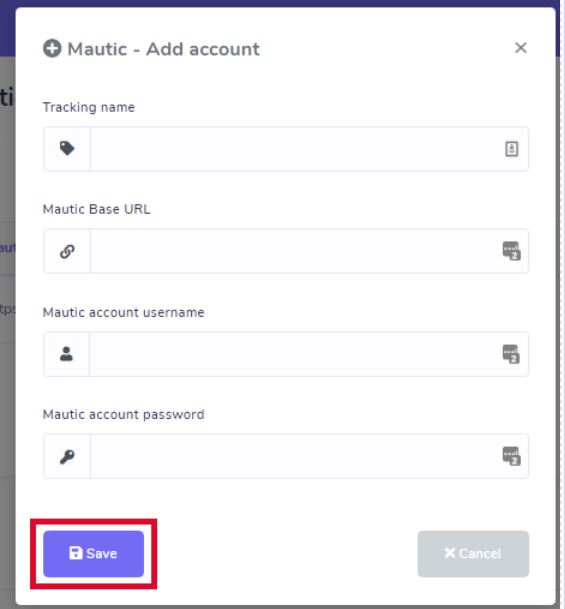
Click the Add Account button. A popup window will display the tracking name, Mautic Base URL, Mautic account username, and Mautic account password. Please provide your Mautic Base URL, Mautic account username, and Mautic account password and name so you can recognize it later.
How To Integrate Mautic Email Marketing App With Dashrite Multi-Marketing?
ActiveCampaign
By integrating ActiveCampaign, all the emails collected from messenger Quick Reply or user’s sign-up will automatically be added to your desired ActiveCampaign list.
Integration procedure:
Click on the ActiveCampaign, and you’ll be redirected to the ActiveCampaign account adding section.
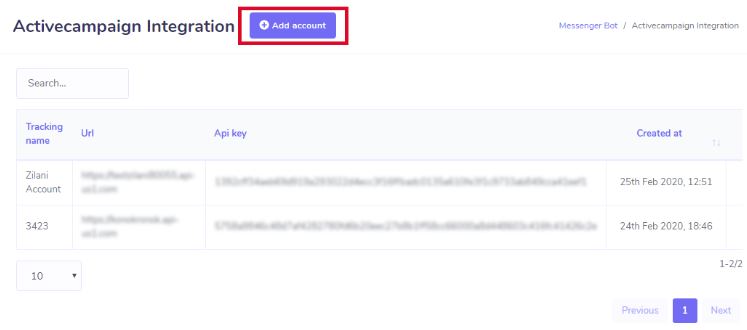
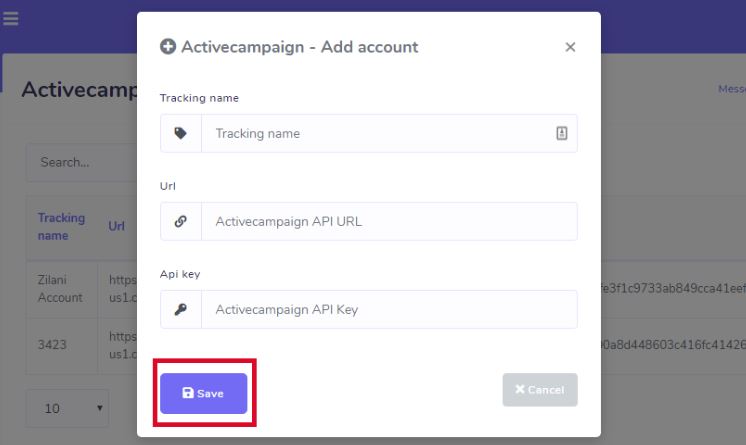
Click the Add Account button. A popup window displays the tracking name, API URL, and API key. Please provide your ActiveCampaign account’s API URL and API key, as well as a name, so that you can recognize it later.
Acelle or Dmail
Integrating Acelle or Dmail will automatically add all the emails collected from Messenger Quick Reply or user sign-up to your desired Acelle list.
Integration procedure:
Click on the Acelle, and you’ll be redirected to the Acelle account adding section.
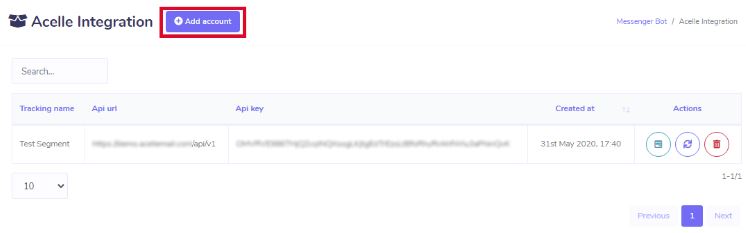
Click the Add Account button. A popup window will display the tracking name, API URL, and API key. Please provide your Acelle account’s API URL ( example: https://example.com/api/v1 ), API key, and a name so you can recognize it later.
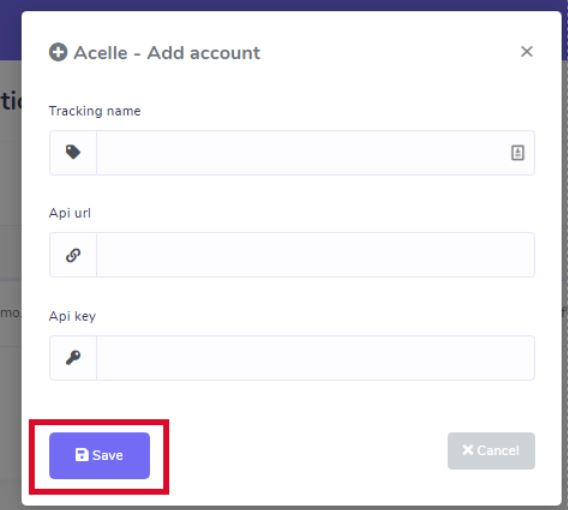
Integrate Acelle/Dmail With Dashrite Multi-Marketing.
How to Collect Emails and send them to Email Autoresponders lists
With Dashrite Multi-Marketing, you can collect emails in two ways. One is from when a user signs up for the Dashrite Multi-Marketing system. To send the user’s sign-up email to your corresponding email autoresponder (mailchimp/sendinblue/mautic/acelle/activecampaign) list, you need to configure a setting by going to the menu System → Settings, then click Change Settings from the General section. Now click the Email Auto Responder tab and select your corresponding email autoresponder (mailchimp/sendinblue/mautic/acelle/activecampaign) list where you want to send the collected email.
The other one is from Quick Reply of Messenger Bot. You must also configure a setting to send collected emails to your corresponding email autoresponder (Mailchimp/Sendinblue/mautic/nacelle/active campaign) list. To do this, please go to the Bot Messenger menu, then click the Actions link from the Bot Settings section. Now click the General Settings tab, select your desired corresponding email autoresponder list (Mailchimp/Sendinblue/mautic/nacelle/active campaign), and hit the save button.

SMS APIs
Dashrite Multi-Marketing has enhanced itself with its incredible features. Besides all other features, it also has SMS broadcasting features. Dashrite Multi-Marketing has made SMS broadcasting easy by integrating some very popular SMS Gateways and also has a custom GET/POST API added feature. Below are the available gateways that a user can integrate with the system :
- Twilio
- Plivo
- Clickatell
- Clickatell-platform
- Planet
- Nexmo
- MSG91
- Africastalking
- SemySMS
- Routesms.com
- HTTP GET/POST