
Broadcasting
Broadcasting
In this article, we will show you how to create a campaign for broadcasting in Dashrite Muilti-Marketing App, the #1 best marketing application.
First, go to the Dashrite Muilti-Marketing App dashboard to create a broadcasting campaign. Then click on the Broadcasting menu in the left sidebar.
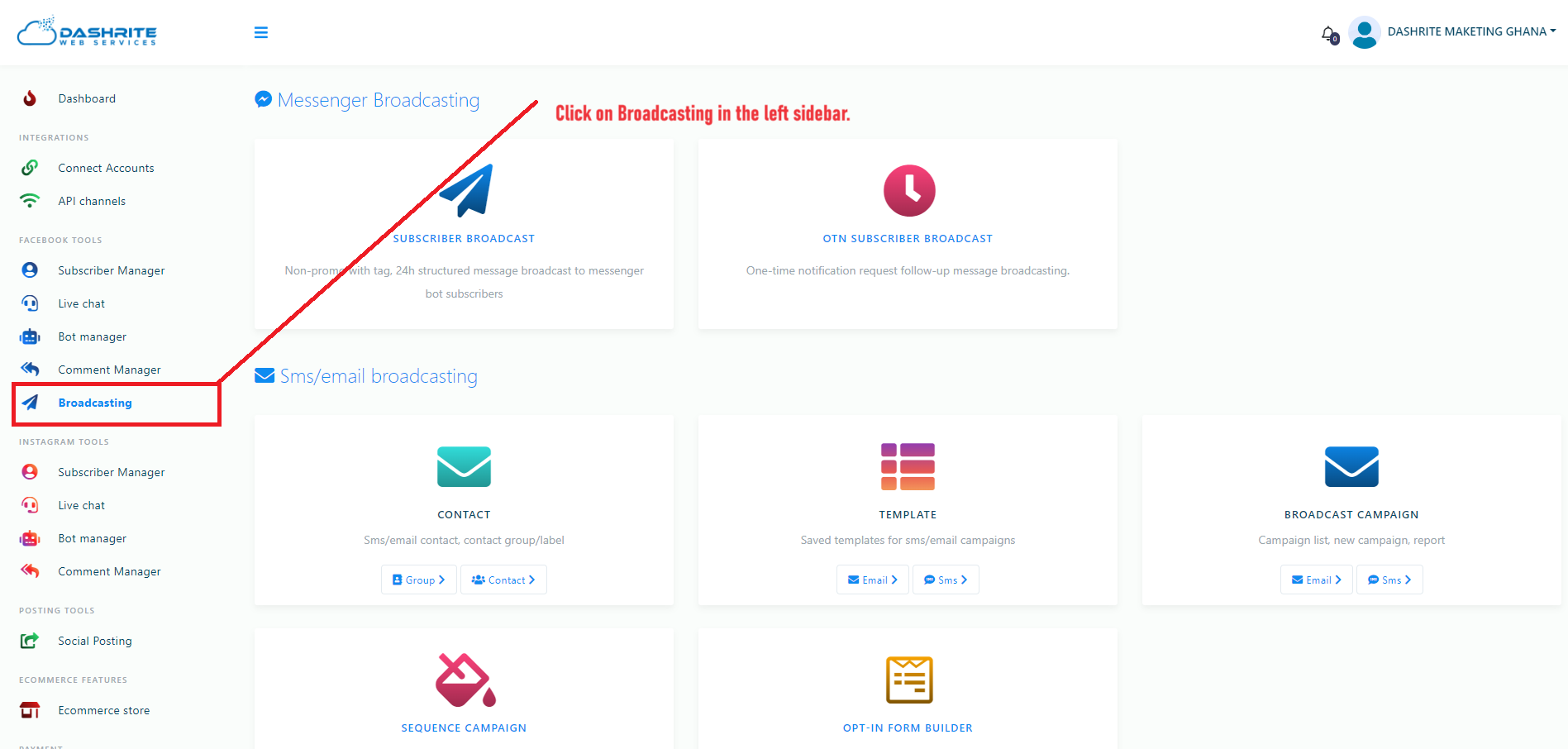
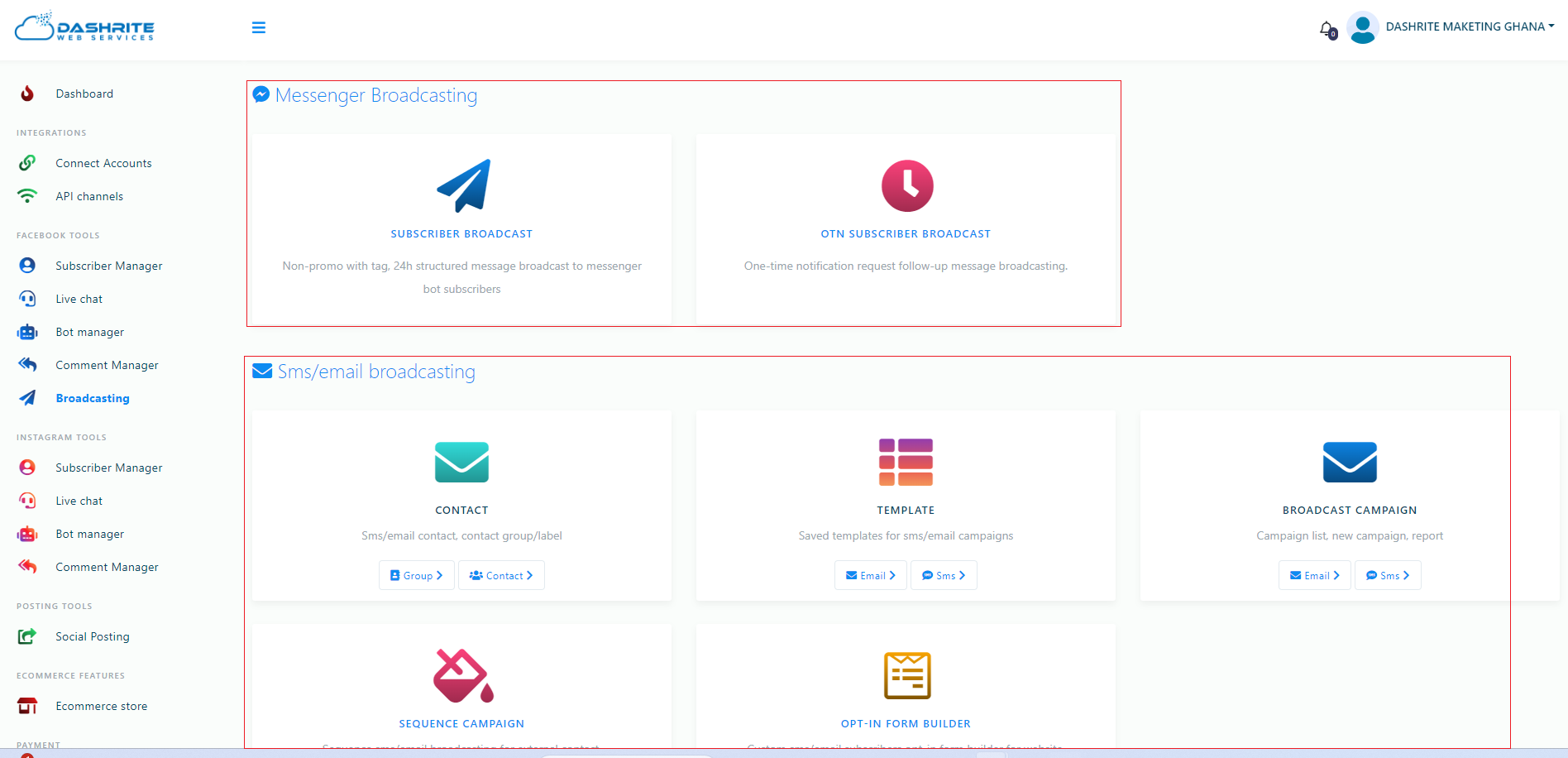
Instantly, a page will appear divided into two sections: Messenger Broadcasting and SMS/email Broadcasting. The SMS/email Broadcasting section is divided into three parts: CONTACT, TEMPLATE, and BROADCAST CAMPAIGN.
To create a campaign for Messenger Broadcasting, click on the Messenger Broadcasting option.
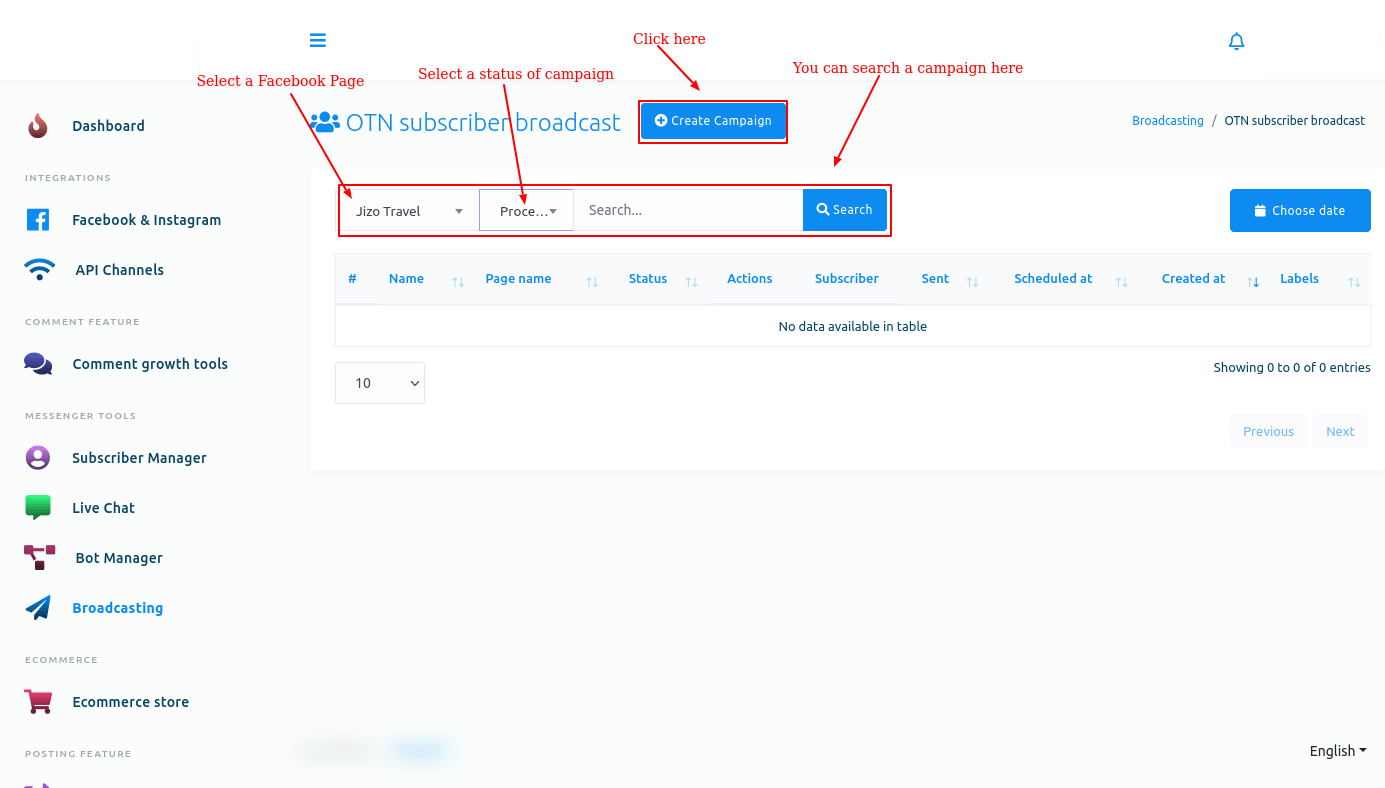
And instantly, a page called OTN subscriber broadcast will appear with a create campaign button. Now click on the Create Campaign button.
Instantly, a page called Add OTN subscriber broadcast will appear with instructions and a form at the top. The form is divided into three parts: Campaign details, Targeting options, and Message template.
Please read the instructions carefully before starting to create the campaign.
Now, you have to fill out the form.
First, fill out the Campaign related fields.
Campaign Details
Give the campaign a name in the campaign name field. Then, select a Facebook page from the select page field.
Then, you have to select an OTN postback template from the OTN postback template field. Click on the OTN postback template field, and a drop-down menu with different OTN postback templates will appear. Now select an OTN postback template from the drop-down menu. Of course, you can choose multiple OTN postback templates from the drop-down menu.