
Building A Bot With A Flow Builder
How To Build A Bot With A Flow Builder
In this article, I will demonstrate how to create an interactive Facebook Messenger Bot and Instagram DM bot with Dashrite Multi-marketing App Flow Builder. Please follow the instructional steps to create an interactive Facebook Messenger or Instagram DM bot. To build a bot, go to the Dashrite Multi-marketing App’s dashboard and click the Bot Manager option in the left sidebar.
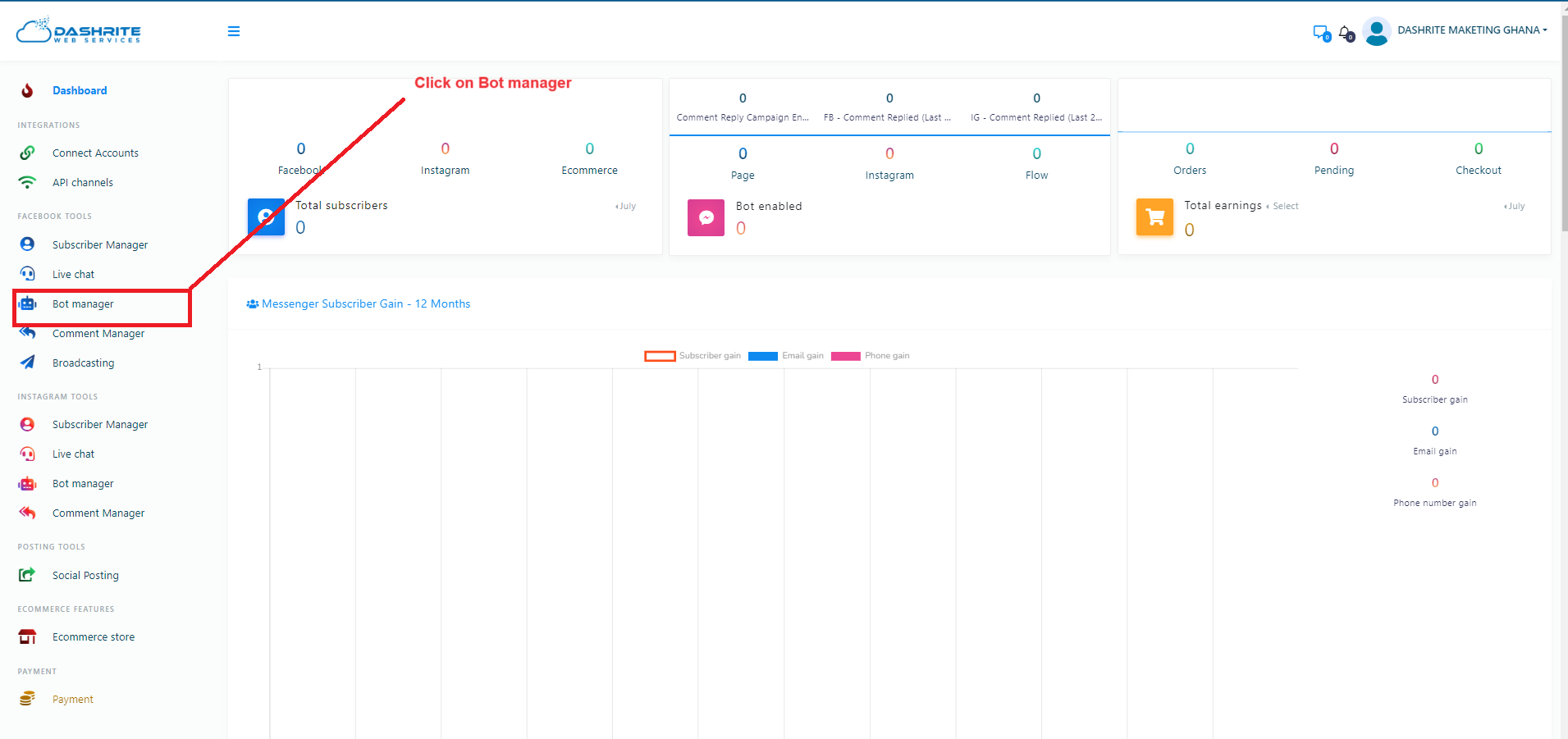
Bot Manager
Instantly, the Bot Manager page will appear. At the top of the page, you will see the profile of your Facebook account. If you have imported one more Facebook profile, you can change it.
To build a bot on the Facebook page, select the radio button on Facebook. On the other hand, to create a bot on Instagram, select the radio button.
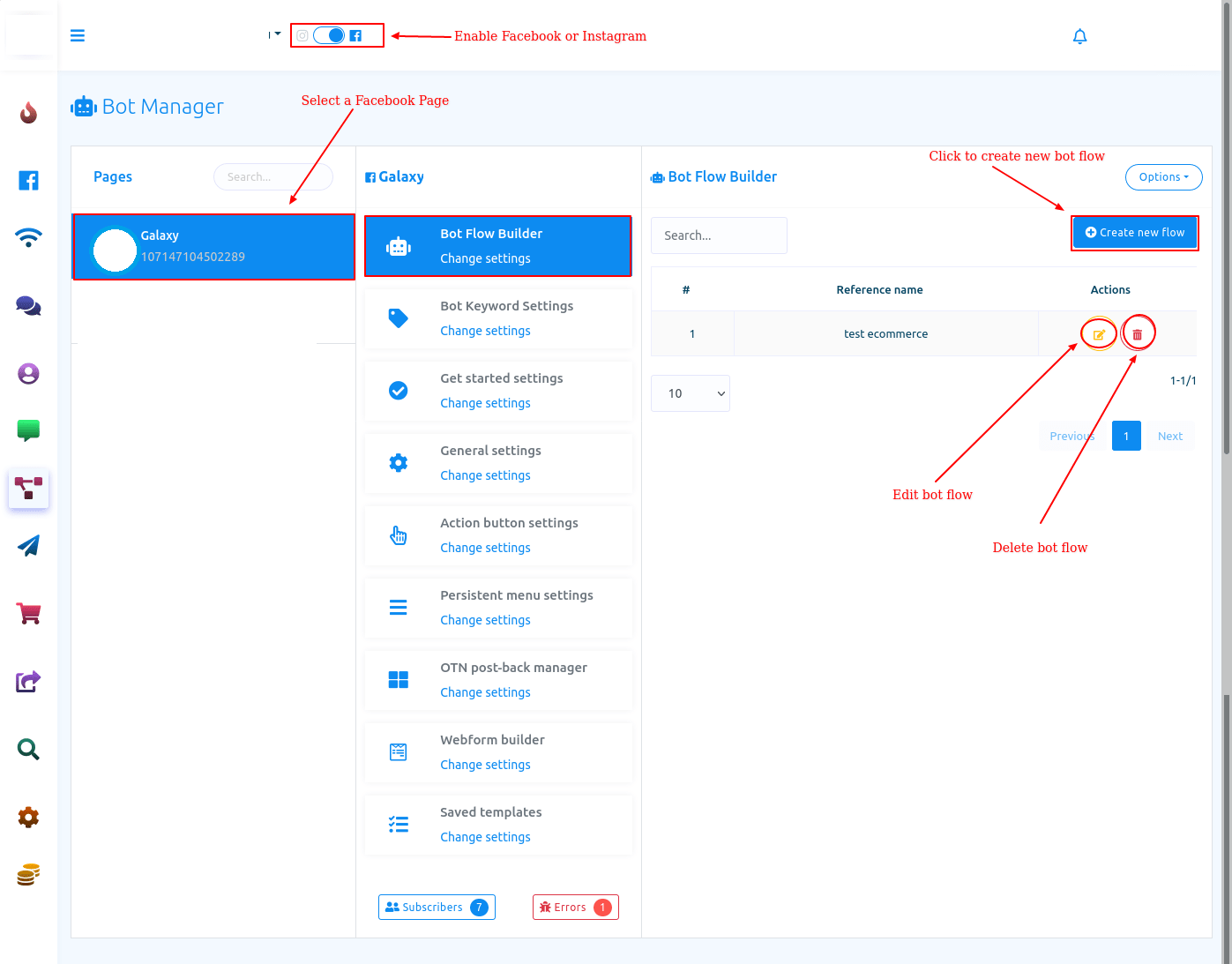
Visual Flow Builder Editor
To build a bot, click the “Create New Flow” button. Instantly, the Flow Builder’s editor will appear. The editor is divided into two parts: the Doc menu and the editor. All the components are gathered together on the Doc menu. Drag components from the Doc menu to build a bot and drop them on the editor. Then, you have to configure and connect the components. There are 14 components on the Doc menu.
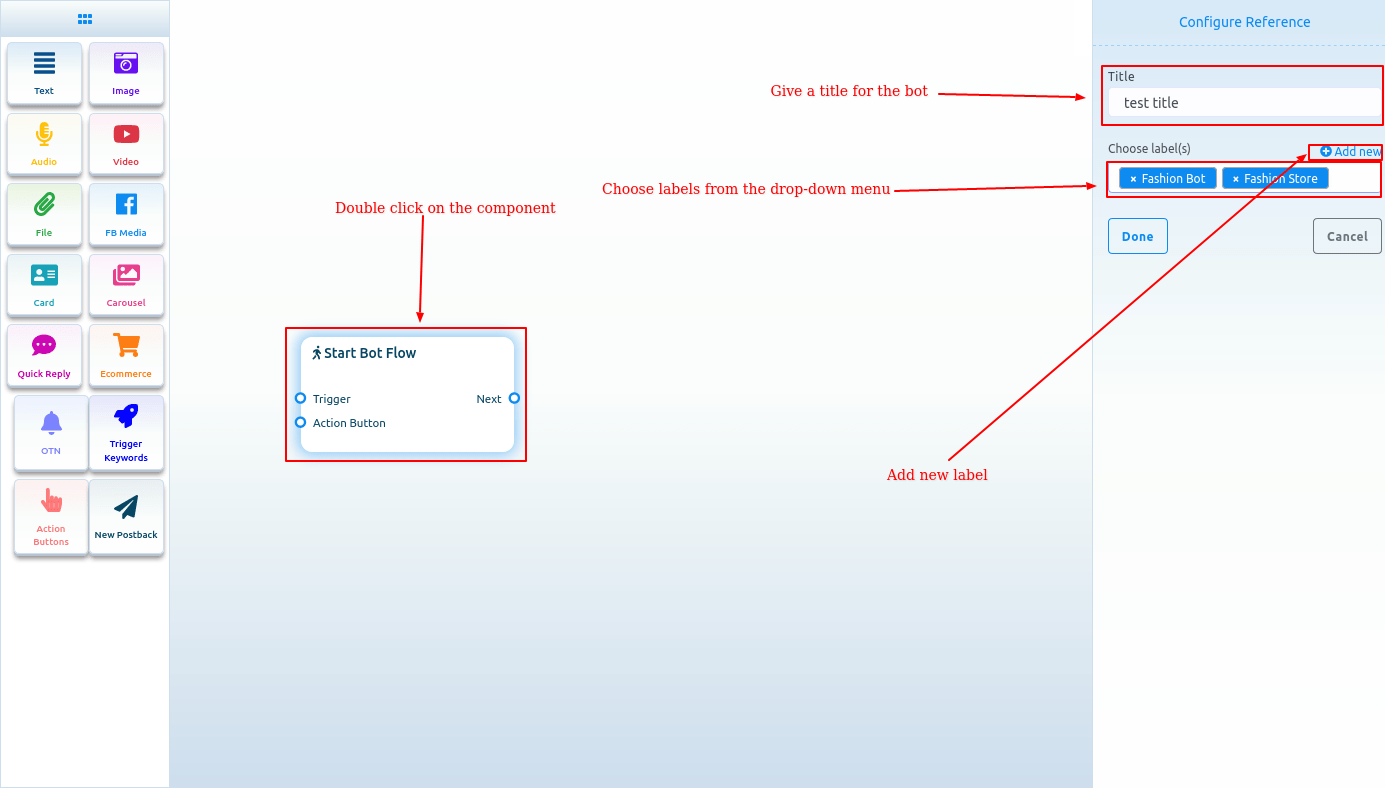
Start Bot Flow
On the Editor, you will see an element called start bot flow. This component is essential to building the bot. Double-click on the Start bot Flow element, and the Right Sidebar called Configure Reference will appear with two fields – Title and Choose Labels. In the title field, give a title for the bot.
In the Choose Labels field, you select labels from a drop-down menu of different fields. You can select multiple labels in the Choose Labels field. Now click the Done button to add the information to the element.