
Shipping And Tax
Shipping
In Dashrite Marketplace, shipping refers to delivering products to customers. It involves setting up shipping methods, rates, and zones based on various criteria such as location, weight, and price. Shipping in Dashrite Marketplace allows store owners to offer customers flexible shipping options and accurately calculate shipping costs.
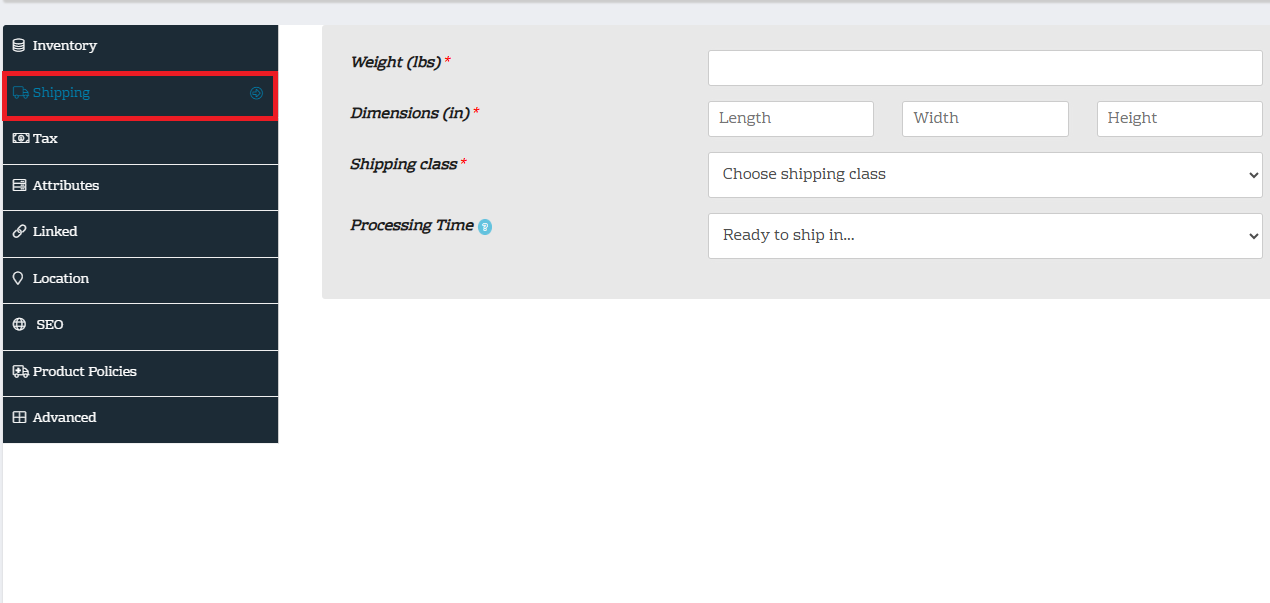
To complete shipping/delivery information, click on shipping as shown in the image above.
- Shipping/delivery or logistics is an essential aspect of sellers’ or vendors’ operation, and all vendors must ensure they give accurate weight, dimensions, and shipping class o of their products to ensure carriers calculate precise shipping or delivery costs.
Tax:
- In Dashrite Marketplace, taxes can be set up to automatically calculate based on your store’s location and the location of your customers. You can configure different tax rates for various regions, and Dashrite Marketplace will handle the calculations for you during the checkout process. This makes applying appropriate taxes to each order easy based on the relevant tax rules and regulations. Per regulation, Dashrite will collect all sale tax on eligible transactions on our Marketplace platform.
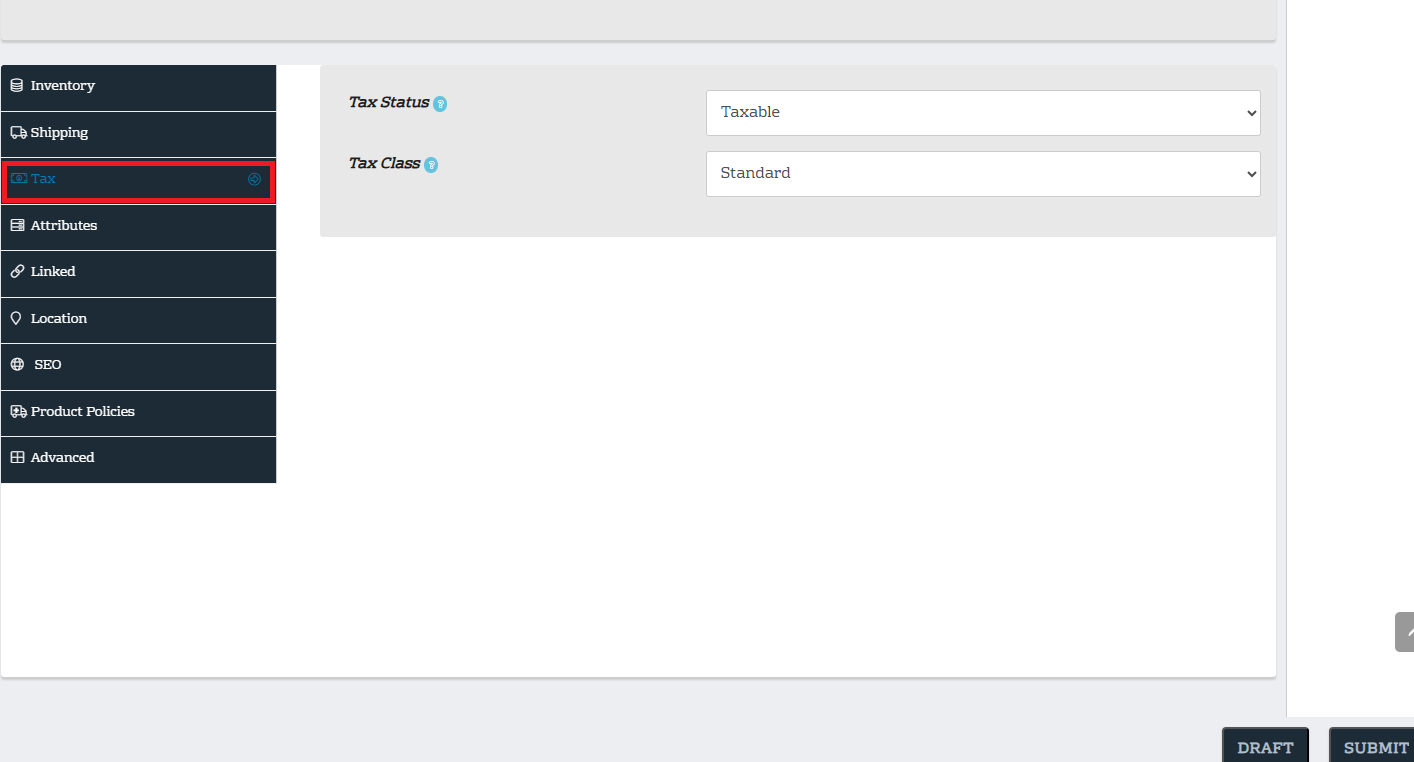
To complete Tax information, click Tax, as shown in the image above.
Two actions are underneath the tax section: Tax status and Tax class.
TAX STATUS
Tax status refers to how taxes are applied to products and users in an online store:
-
- Taxable: Applies regular taxes to a user role
- Shipping only: Applies tax only to shipping costs for a user role
- None: Excludes a product from taxes for a user role
Tax classes
Tax classes are categories that group products based on their tax rate. It can be used to Categorize products. For example, you can create a tax class for electronics and another for beauty products.