
Marketplace Application
Marketplace Application
Dashrite Vendozone is part of Dashrite’s business services. It offers tools and resources to help businesses sell products, manage inventory, and access various reports and analytics. The core functionality is to make it easier for businesses to work with Dashrite and reach customers on our platform.
Vendorzone is a powerhouse of functionality, empowering vendors and staff to take complete control of their online commerce accounts.
The VendorZone section helps vendors glance at the store’s product stats, inquiries, notifications, latest topics, and store stats for orders and deliveries.
The media manager
helps the store manage its media assets, such as pictures, PDFs, and videos.
Articles Manager
is a section that helps stores publish articles monetizing to promote their product and services.
Products: The products manager section allows stores to add products to their store and help manage products.
ORDERS LISTING
To view orders customers have placed, go to Orders in the Vendorzone Dashboard left menu. At the top of this screen, you can view the standard filter and search area. A list of orders appears in order of date made:
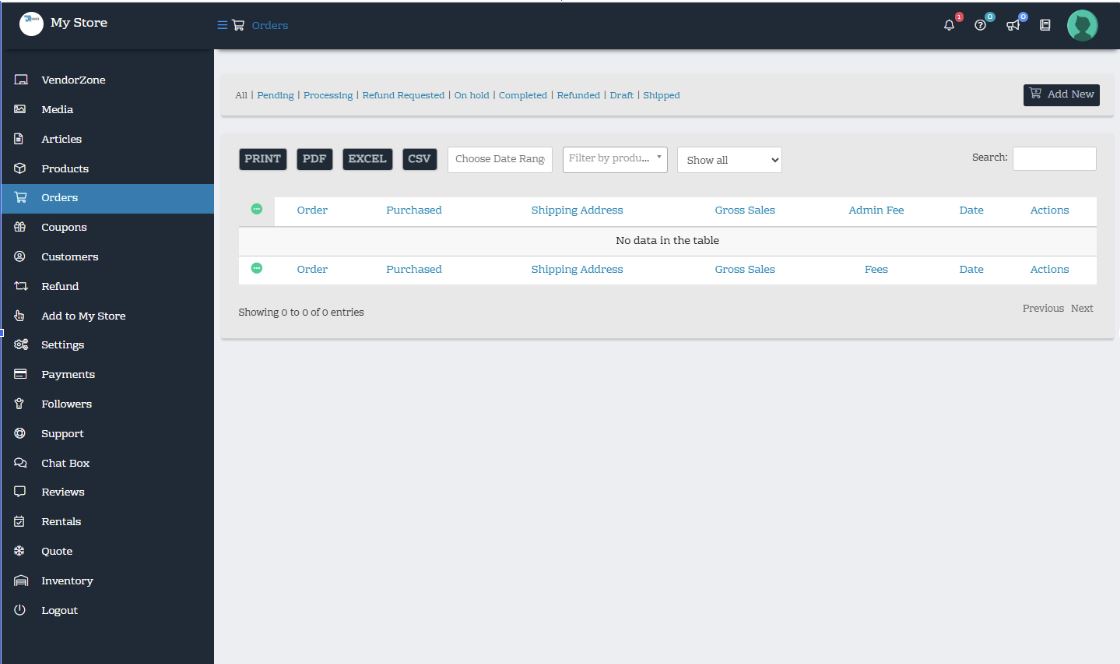
You can:
- Filter by status using the status links at the top
- Filter by date
- Search
- Filter in Sequential Order Number search.
At the far right of each order are actions you can perform on the row:
- View
- Mark as Shipped (only for Vendors)
- Download PDF Invoice
- Delete
Coupons
Customers