Cash Denomination and Proforma Invoice
Cash Denomination
What is cash denomination?
Cash denominations are usually different cash tenders used in your country. With this feature, cashiers can easily calculate the total amount they have when closing the register by mentioning the number of different trends they have.
Enabling cash denomination
- Go to Settings -> Business settings
- POS tab
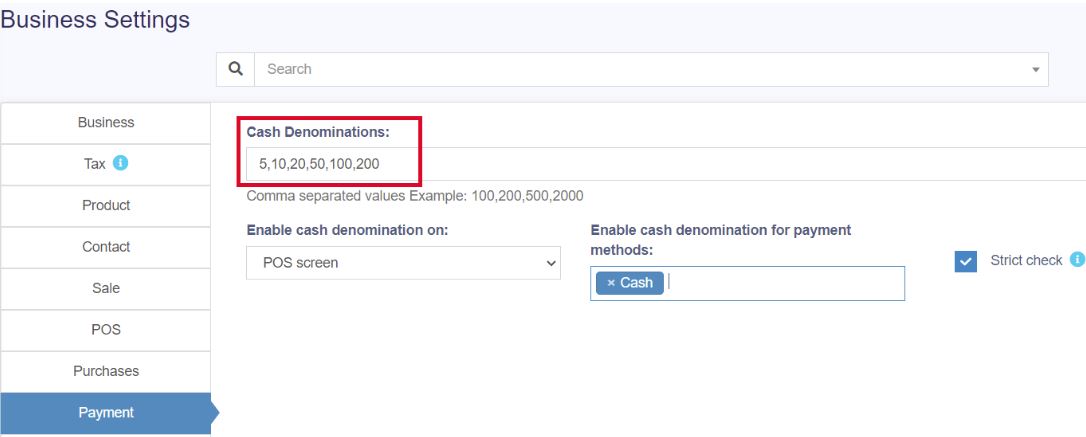
- Cash Denomination field, here enter the comma-separated cash denominations you’d like to have
Using cash denomination
When a cashier closes the cash register, it will ask to enter the count of each cash denomination. When entering, the total amount will be automatically calculated.
This count can be viewed from the Report -> Cash Register report by viewing any register.
Cash denomination in Sale and Purchase:
Cash denominations can be added while making a sale or purchase. To enable this, Go to Settings -> Payment.
Select the screens in which you need the cash denomination and type of payment method.
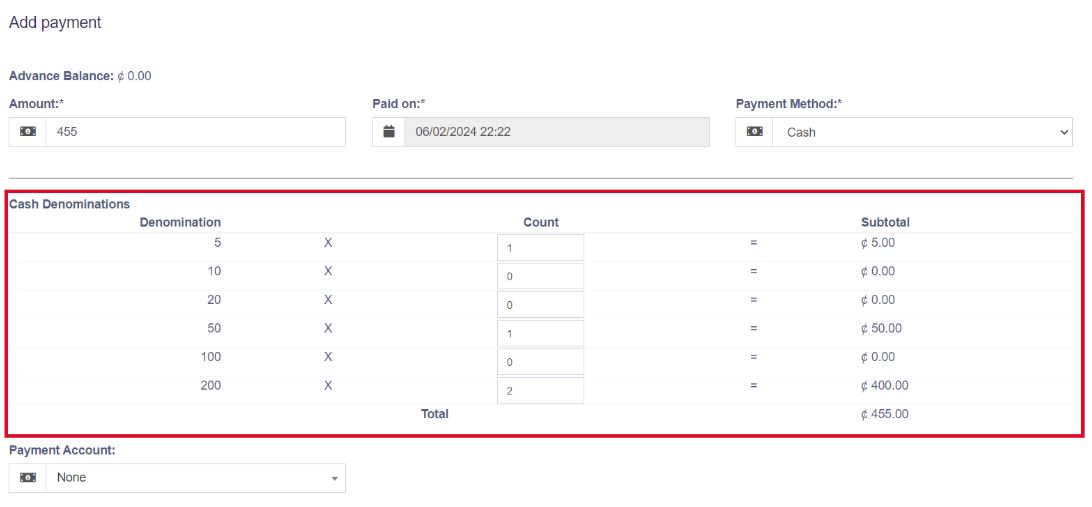
The cash denomination table will be shown while you make a sale or purchase in the add sale/add purchase screen.
Proforma Invoice
A proforma invoice is an estimated invoice that is used to request payment from the buyer for goods or services before they are supplied.
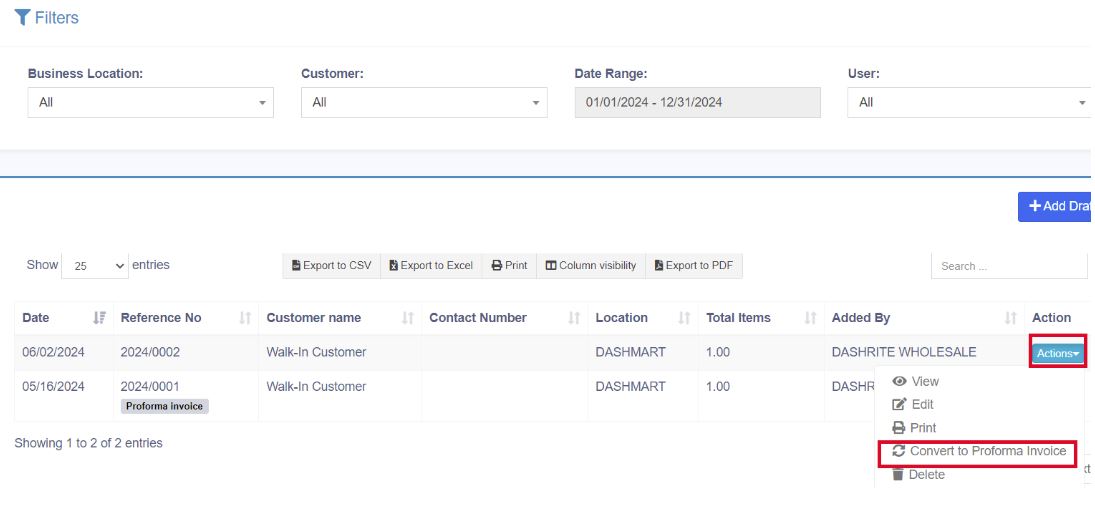
The quotations can be converted to proforma invoices.
Select ‘Convert to proforma invoice’ from the action dropdown button on the list quotation page.
The proforma invoices will be added to the ‘list drafts’ screen. You can convert them later into actual invoices.