White Labeling, Decimal Precision And Export Feature
White Labeling & Rebranding Dash POS
A white-label product is a product or service produced by one company (the producer) that other companies (the marketers) rebrand to make it appear as if they had made it.
Dash POS allows you to white label the product with your company name and resell it as per purchase license rules.
To white-label the application:
During installation, it asks for Application name & Application title. Simply use your company name or your branded product name as the name of the application. Also, give a meaningful title to it.
– Now the name you entered will be displayed in the Landing Page & also in the footer of the application.
Decimal Precision for Currency & Quantity
Some countries like Bahrain, Kuwait, Tunisia, Oman, etc have 3 decimal currencies. So with this feature, you can adjust the decimal significant figures for currency & quantity.
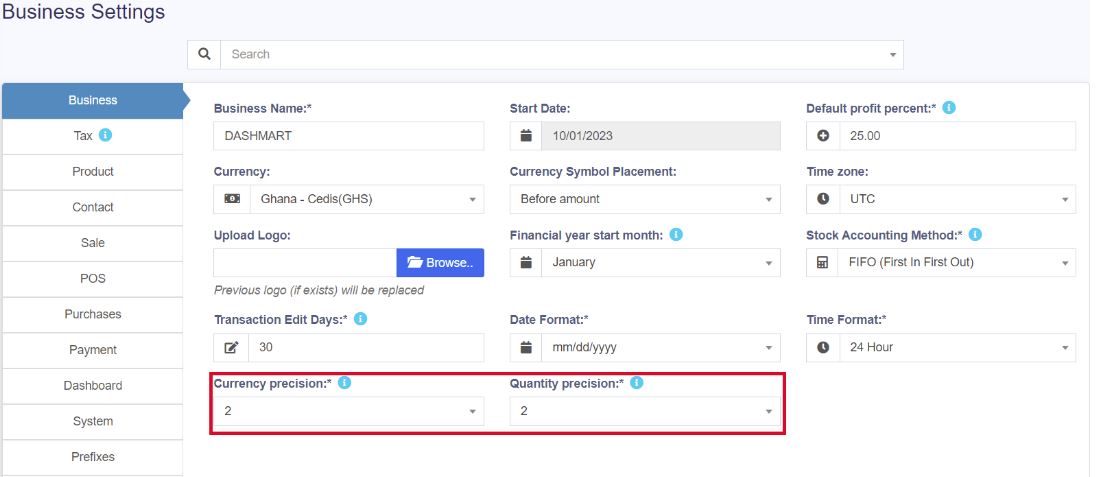
The default precision is 2 for currency & quantity if you want to change it, follow the below steps:
Go to Settings -> Business Settings. Here, you can enter the required decimal precision for quantity and currency.
Export Feature
Export Feature in DashPOS
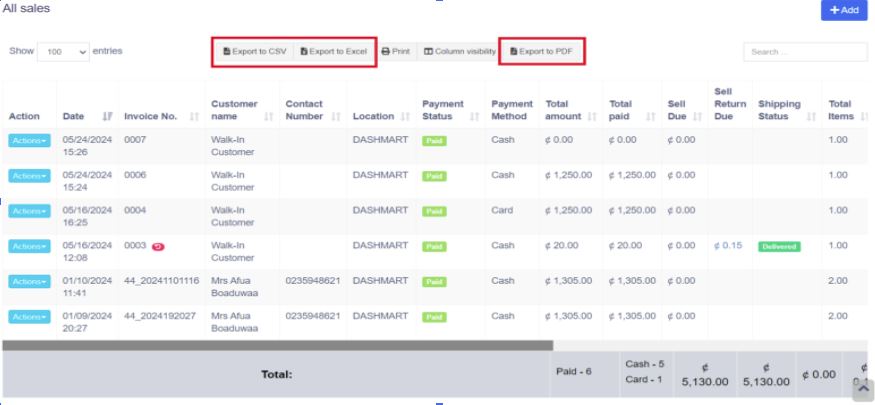
Dash POS allows you to export your data into either Excel, CSV, or pdf files. You can export your sale, purchase, products, categories, all your reports, etc.
On the top of every data table, you can find export buttons, as shown in the image below.
Removing columns from the data table
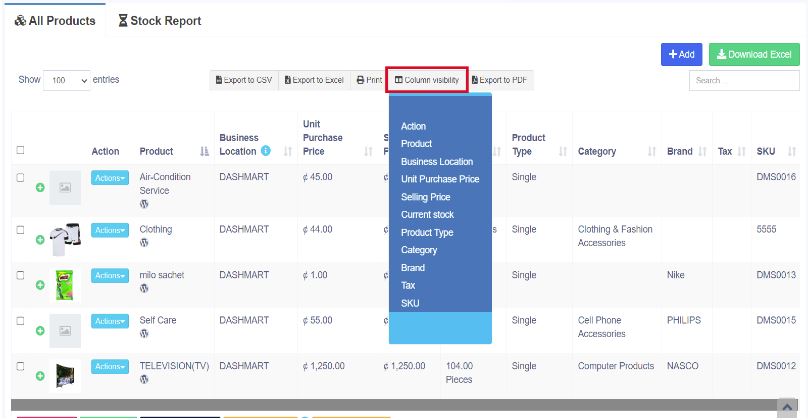
If you want to remove the action column or any other column while exporting the data, use the column visibility feature. Select the columns that are to be removed and then click export.