
Howdy! How can we help you?
Role Management
Adding Roles
-
- Every new business comes with some default roles – Admin & Cashier.
Admin has all permissions in the application.
Cashiers have permission only in the POS section. - You can create a role by clicking on the Add button -> Giving a role name, and then selecting the appropriate permission for that role.
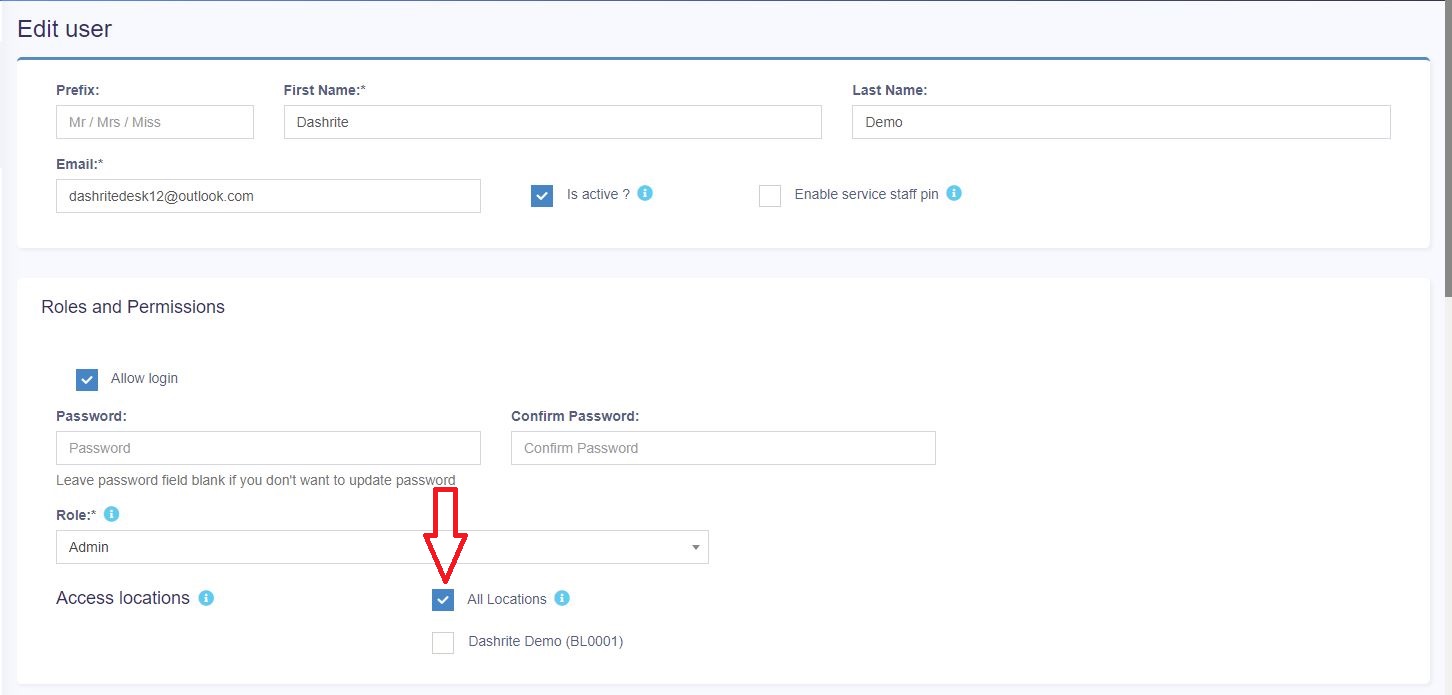
- Sometimes, you may need to give a user access to some particular location(s) only. In this case, select the locations from “Access locations” permission. Select “All Locations” to give permission to access all locations for your business. (See Red arrow in picture below)
- Every new business comes with some default roles – Admin & Cashier.
4.Roles permissions can be edited & Deleted.
Note: You must update the role of an existing user before deleting a role.