
Howdy! How can we help you?
Rental Product Settings
Rental Product Settings (Global)
By default, the global setting will be applied to all rental products; vendors can change settings to local. Note that the local settings supersede the global setting since it is product-specific
Rental Product settings ( Local )
Local settings mean that the settings will work only for that product or option. To set up these settings, please go to Settings of Vendorzone ->Any of the tabs (Display/label/Condition) and select local settings from the drop-down menu.
To locate the setting for either a global or local setting for a rental marketplace
- Log in to Vendorzone and Click on Products on the left panel.
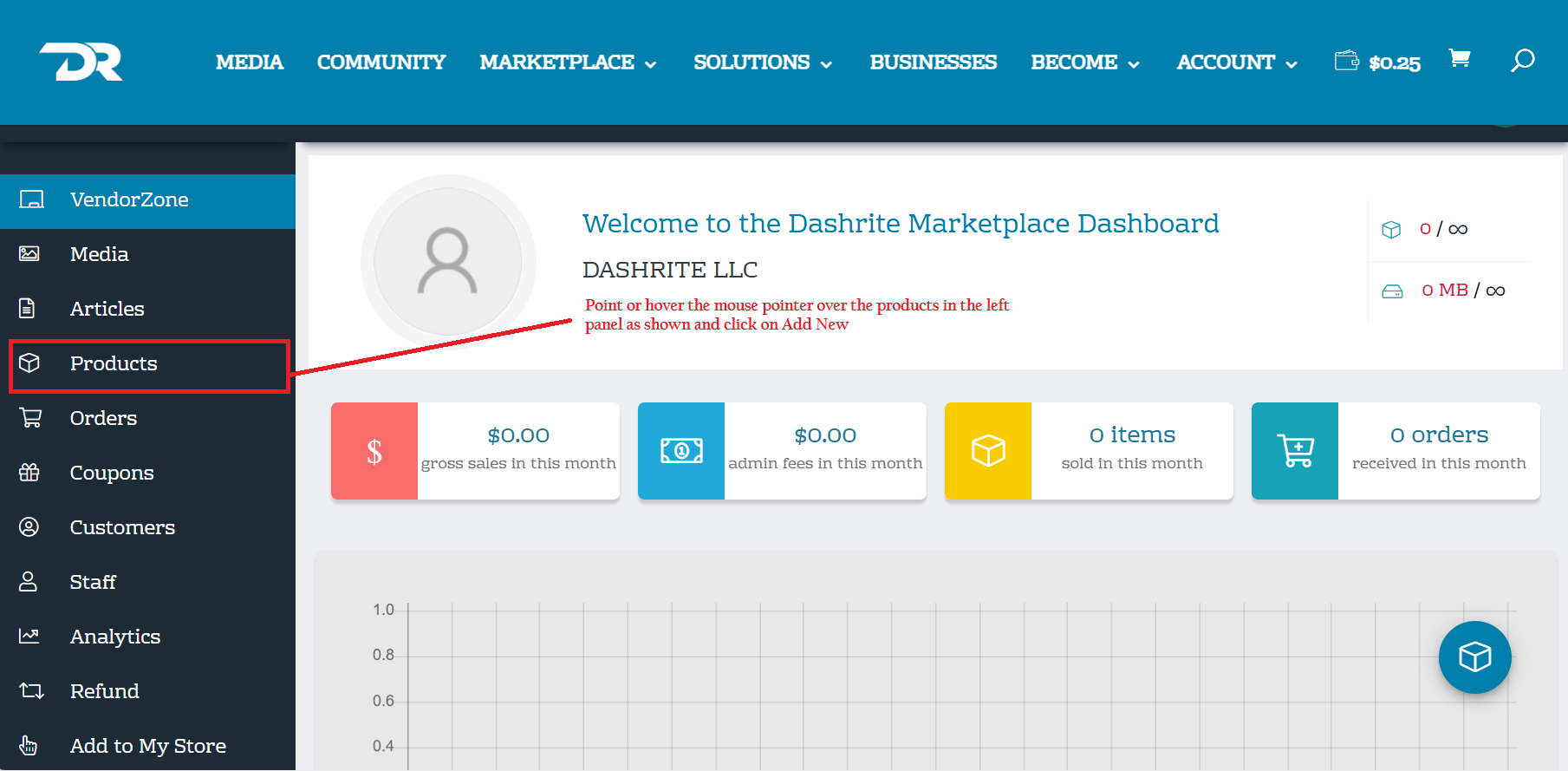
2. Select Rental product from the drop-down menu, Scroll down, and click on settings.
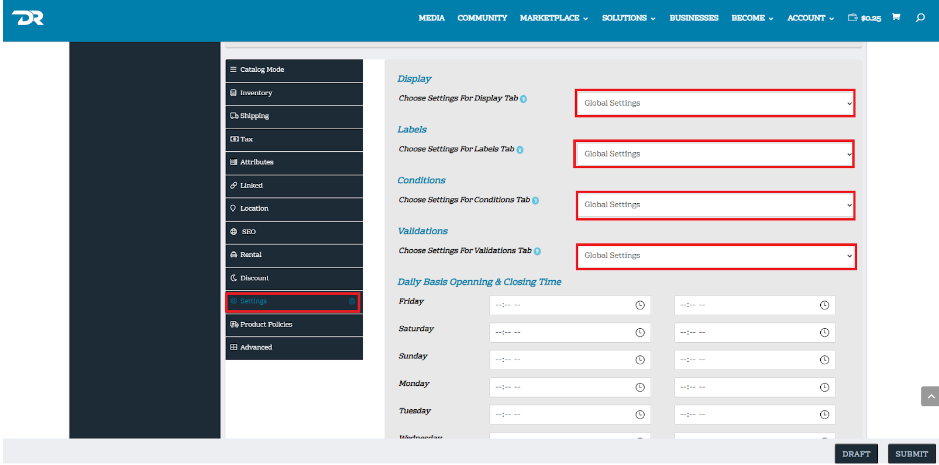
The Dashrite vendorzone rental product setting provides global and location-specific options.