
How To Add Products On Dashrite Marketplace
Adding Of Products On Your Vendorzone
Dashrite marketplace has all the features you need to list and manage your products .successfullyy
To add products to your store, visit the Vendorzone, the official dashboard for marketplace vendors or sellers.
To add products, the Dashrite Marketplace account manager must approve you. Some product categories are restricted, and you must meet specific licensing or permission requirements.
Let’s see how to add and manage products in your store.
To add products to your store, you must follow the following steps.
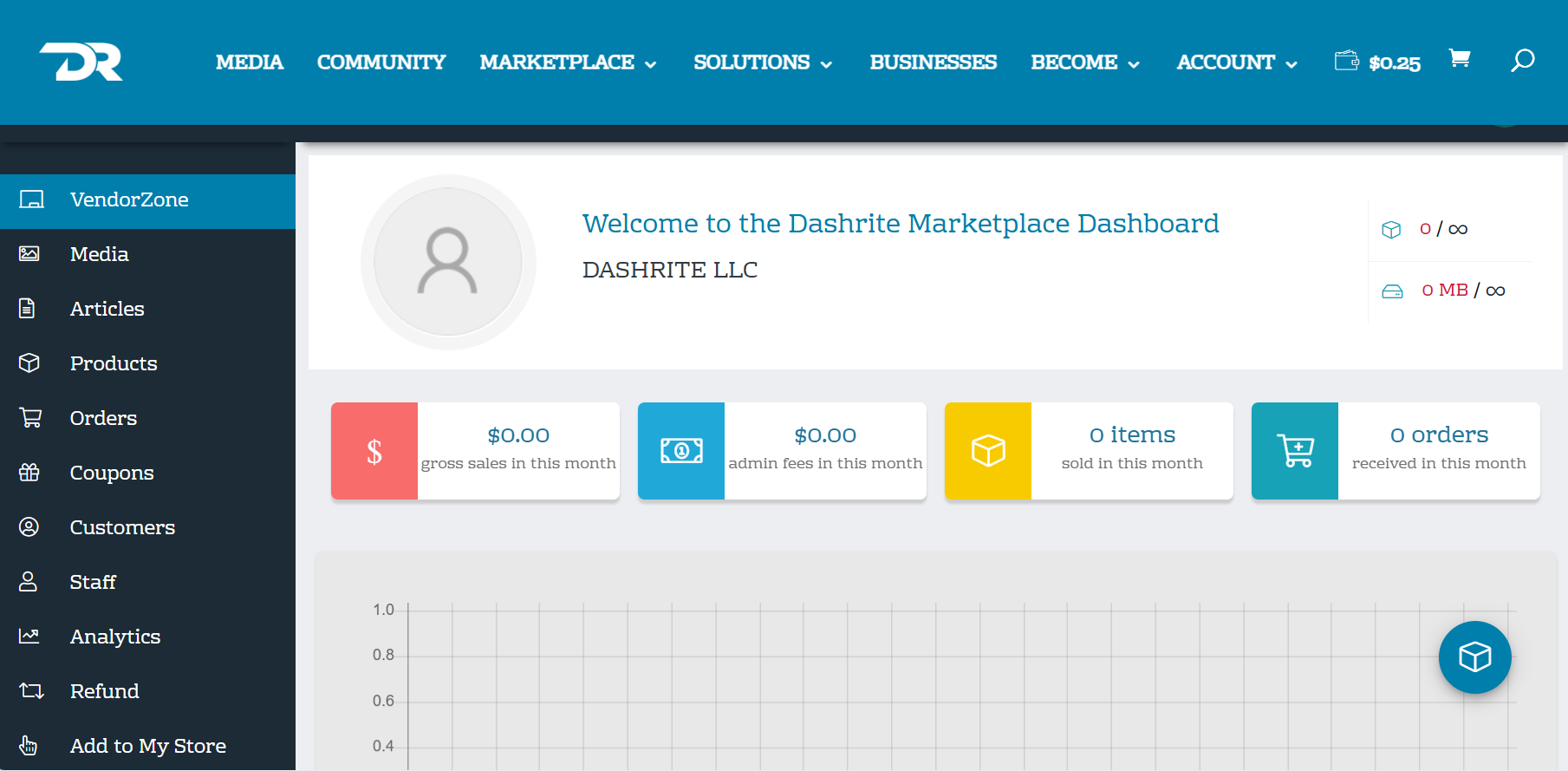
You must log in to your Vendorzone account and see Welcome to Dashrite Marketplace with your business name.
This interface or Dashboard has all the tools you need to sell successfully and manage your products. However, the functionality will differ depending on your account’s subscription level.
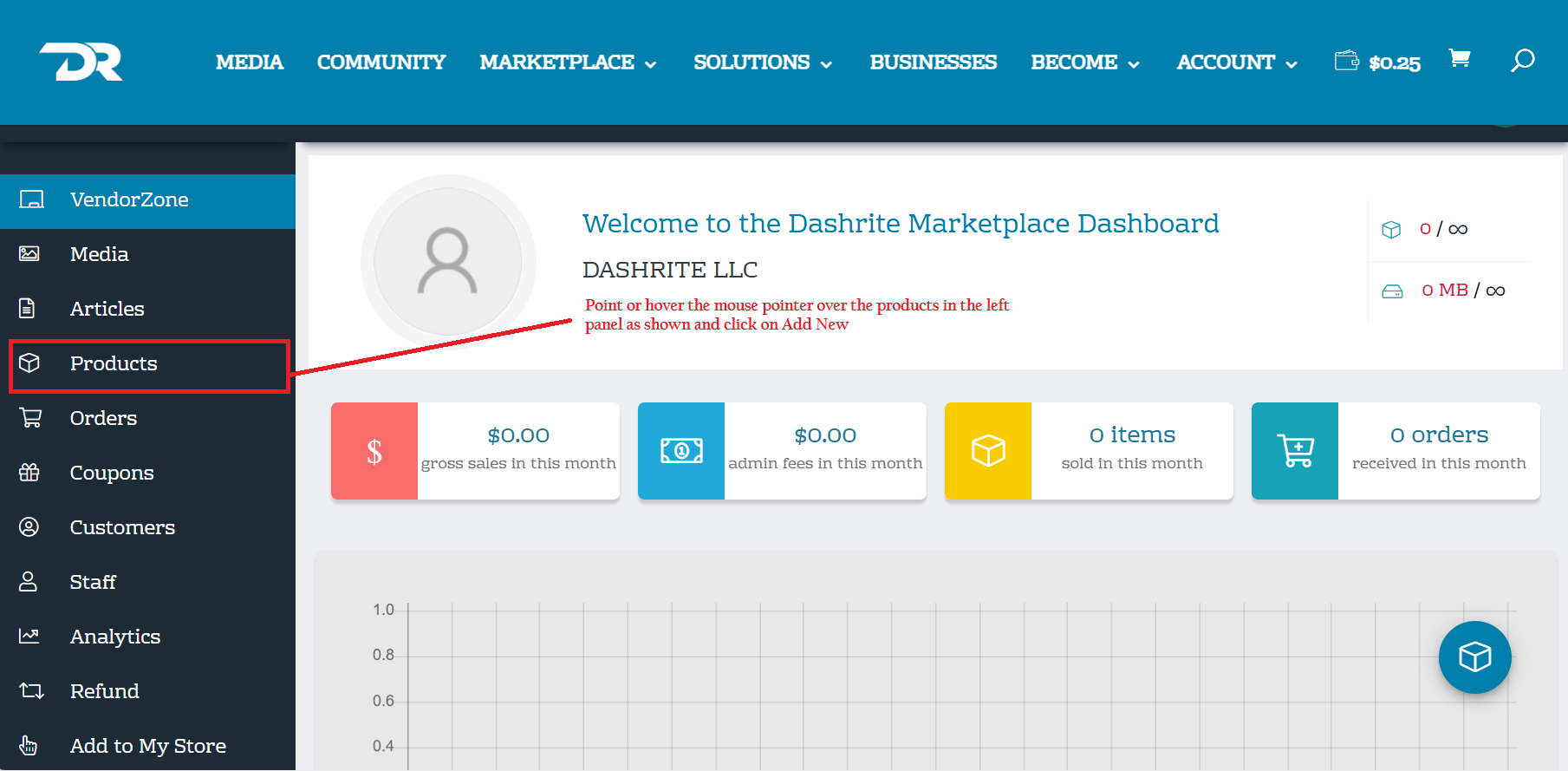
- To start adding products, Point or hover the mouse pointer over the products in the left panel and click on Add New bottom.
2. You must choose these four options based on the product you are listing.
- Simple product ( when selected, you must choose either catalog or downloadable)
- Variable product
- Group product and
- Rental product
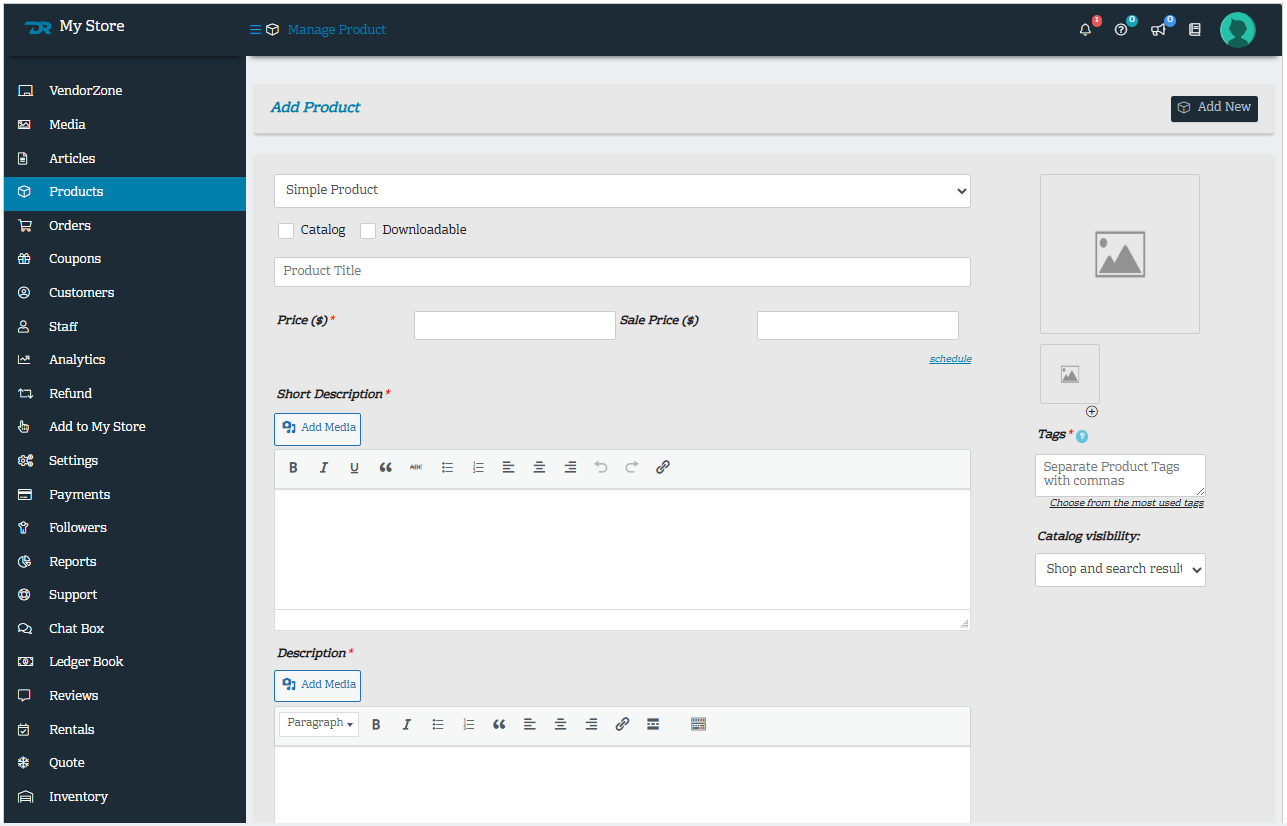
3. You must provide product images, and we encourage you to have clear and clean images with at least 800 x 800 pixels.
4. You must enter or complete the product Title, Price, and sale price when applicable, and all the mandatory sections on the form with the red asterisk, that is:
Short Description*
Description*
Tags*
5. Inventory: Inventory in Dashrite Marketplace refers to the products you have available for sale. It includes the quantity of each product, stock status (in stock, out of stock, etc.), and options for backorders and low-stock notifications. Managing inventory in Dashrite Marketplace is essential for ensuring you can fulfill orders and provide accurate information to your customers.
NOTE: To ensure Dashrite Marketplace customer service, accounting, inventory, and others can easily read each product, we have implemented an SKU system on how all Vedors must name their SKU. For details on giving SKUs to your products on Dashrite Marketplace, visit the Dashrite Marketplace SKU System.
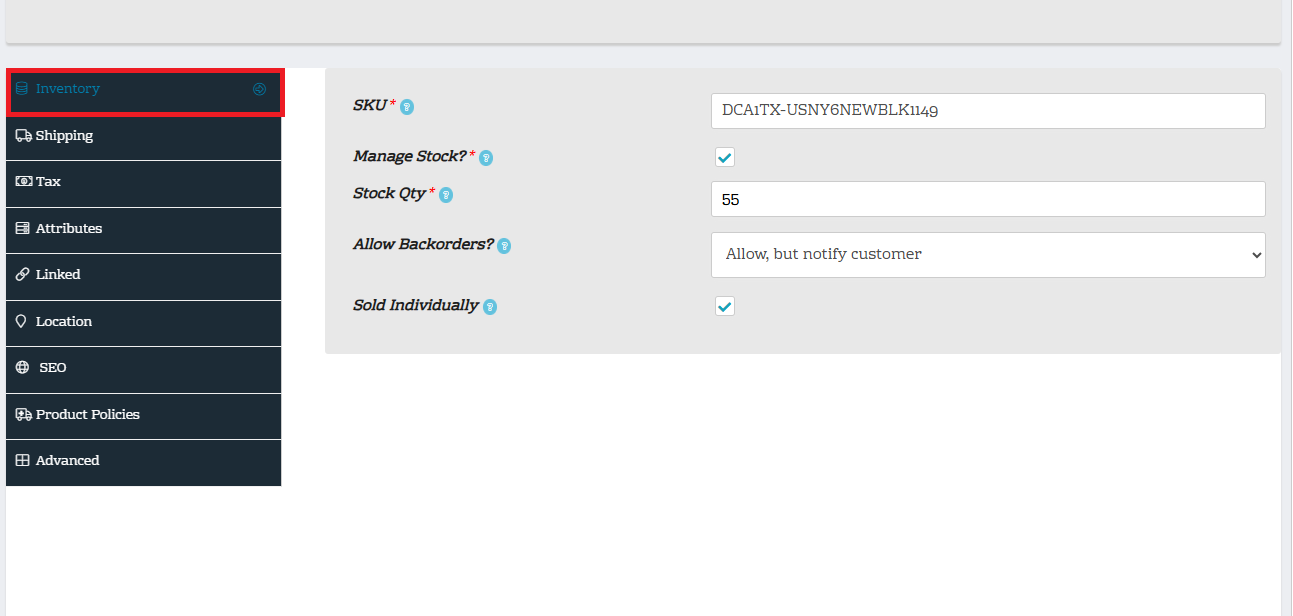
- To complete the product inventory, click on Inventory and accurately complete the inventory upon adding products, as shown in the above screenshot.