
Tracking Domains
Tracking Domains
Tracking domains in Dmail Marketing application—The Email Marketing Web Application refers to the domains that track email opens and clicks. When you set up monitoring domains in the Dmail Marketing application, you are configuring the domains that will be used to track the activity of recipients interacting with your emails. This feature helps you gather valuable statistics and insights about your email campaigns’ engagement with the emails sent out in a marketing campaign.
These domains track essential metrics such as open, click-through, and conversion rates. By tracking domains, marketers can gather valuable data on how their email campaigns perform and make informed decisions to optimize their strategies.
How to add Tracking domains
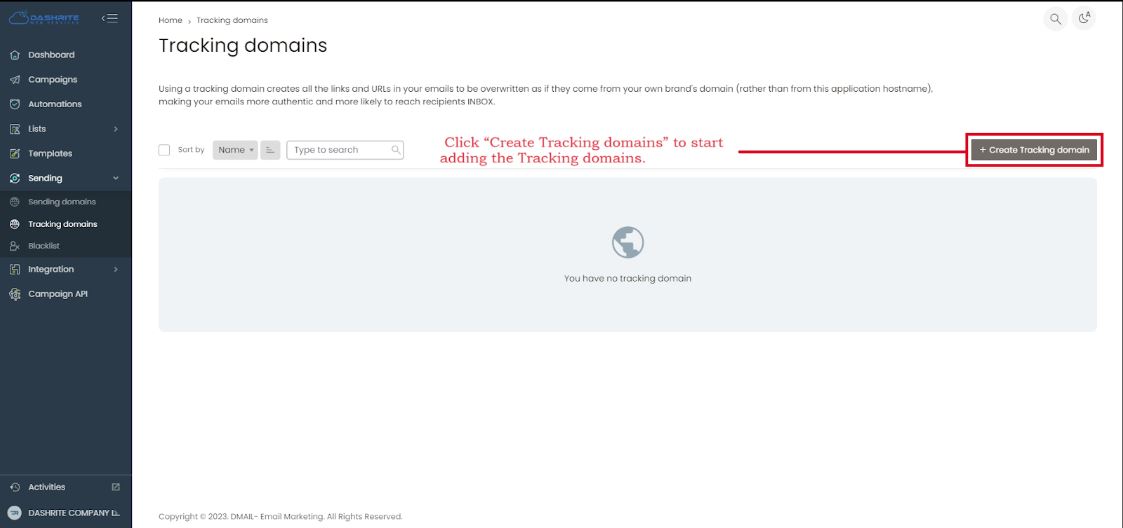
To add or manage Tracking domains, check your left dashboard panel. When you click Sending, the Tracking domains will be below the Sending section.
To add and manage the Tracking domains, click “Tracking domains.” Then, click “Create Tracking domains” to start adding the Tracking domains.