Creating Automations Flow
Creating Automations Flow
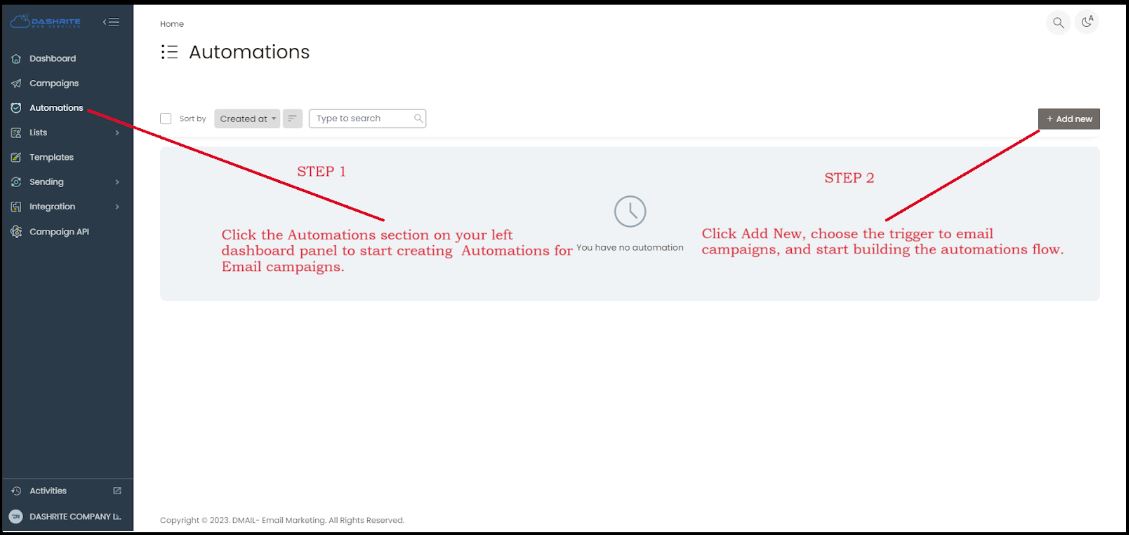
Click the Automations section on your left dashboard panel to start creating Automations for Email campaigns.
To make an email for Beginners, let’s explain what each section means and how to use it.
Dmail Lists
Email lists, or mailing lists, are collections of email addresses used by individuals or organizations to simultaneously send information, updates, or promotional material to multiple recipients. These lists can be used for various purposes, such as marketing campaigns, newsletters, or general communication.
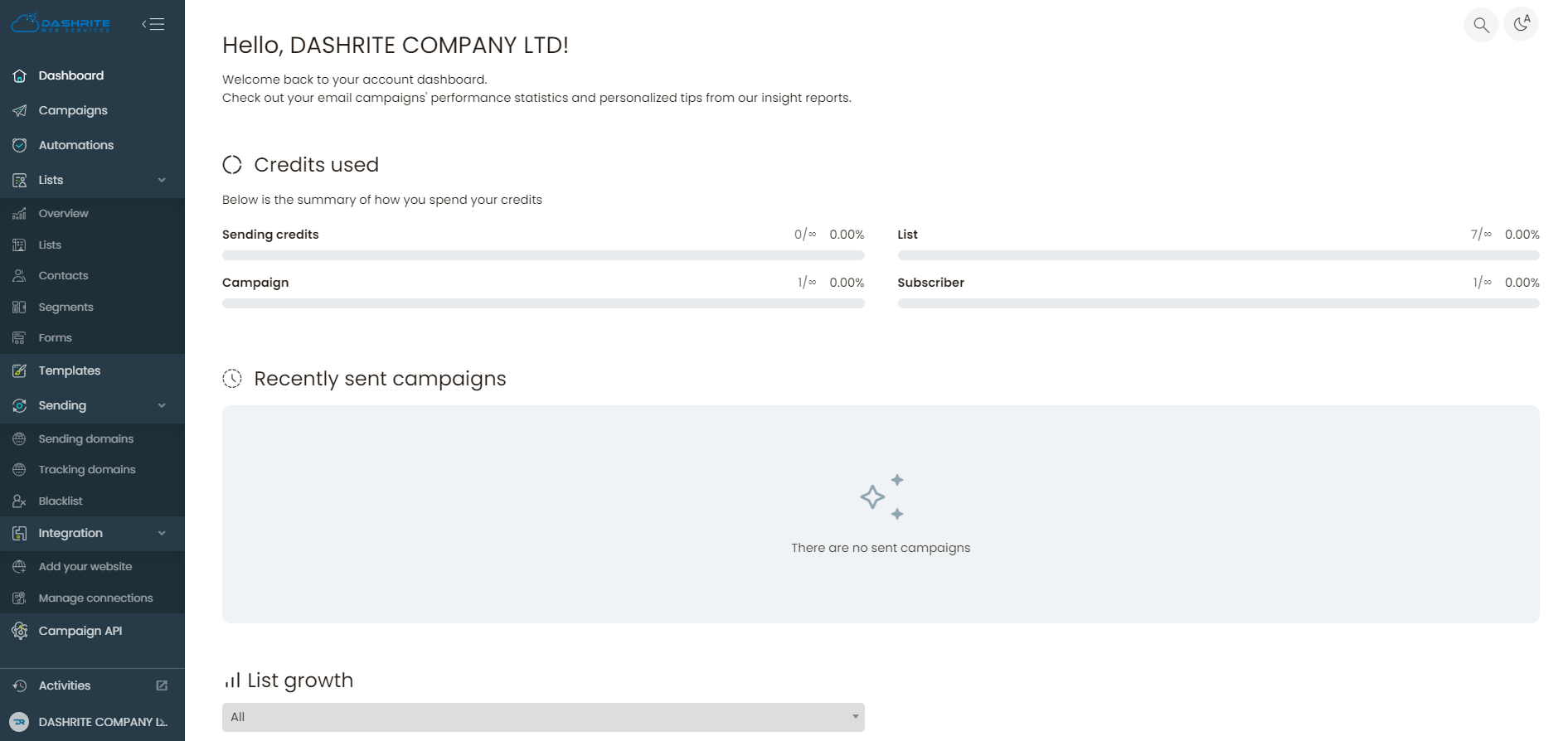
The Dmail List section on your left dashboard panel helps create the email list in that section; the drop-down menu has an overview, Lists, Contacts, Segments, and Forms. We will discuss what each one means and its uses.
Overview
The overview section helps Manage your audience.
Your audience is where you’ll store and manage your contacts. Once you add your contacts, you can send your first campaign. The overview gives you insight into
- Total contacts subscribed to the mailing list
- Active contacts, ready to receive marketing emails
- Forms for collecting the contact data you need to grow your audience
- Blocklisted contacts and gives you insights into Your audience growth.
Lists
An email list is a collection of email addresses that an individual or an organization can use to simultaneously send multiple recipients marketing materials, newsletters, product updates, or other information. It’s a standard tool for businesses and marketers to reach out to and engage with their audience, helping build and maintain relationships.
The list tool can help you organize your email list. You can start by categorizing your contacts into groups based on their interests, location, or other relevant criteria. This can help you send targeted and personalized emails to specific audience segments.
Creating List(s)
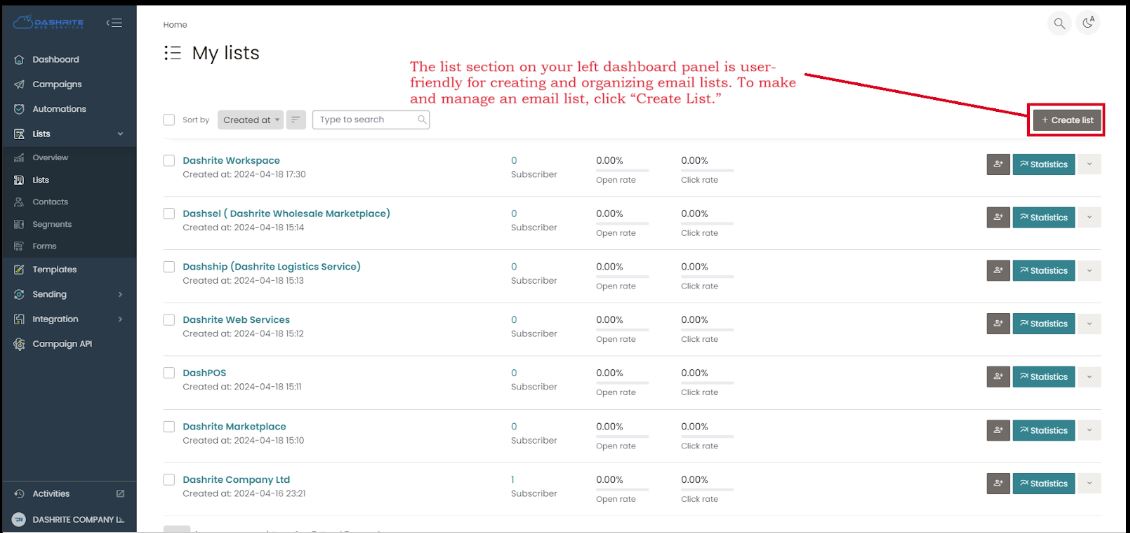
The list section on your left dashboard panel is user-friendly for creating and organizing email lists. To make and manage an email list, click “Create List.”
Contacts
In email marketing, an email contact refers to an individual or entity whose email address is included in a marketer’s email list. These contacts may have signed up for marketing materials, newsletters, or other communications from a particular company or organization. Building a quality email contact list is essential for effective email marketing campaigns, as it allows businesses to connect with their audience, share valuable information, and promote products or services.
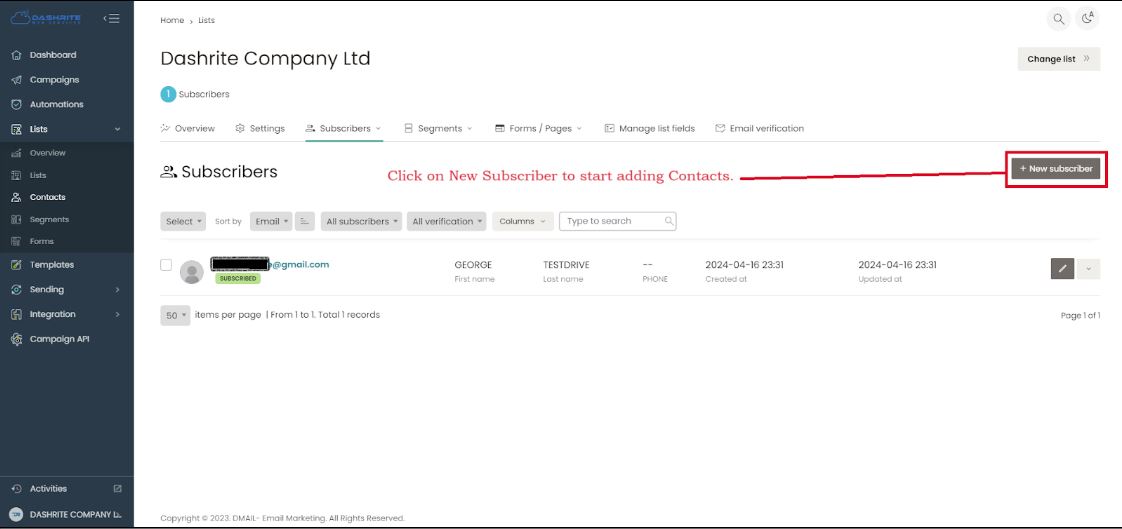
To add or view Contacts, check your left dashboard panel. You will find the Contacts below Lists. To create and manage a Contact list, click “Contacts.” Then, click on New Subscriber to start adding Contacts.
Segments
Email marketing segments refer to dividing an email list into smaller, targeted groups based on specific criteria such as demographics, purchase history, behavior, or engagement. By creating segments, marketers can tailor their email content better to suit each group’s specific interests and needs, leading to more personalized and effective email campaigns.
Adding/ Managing Segment
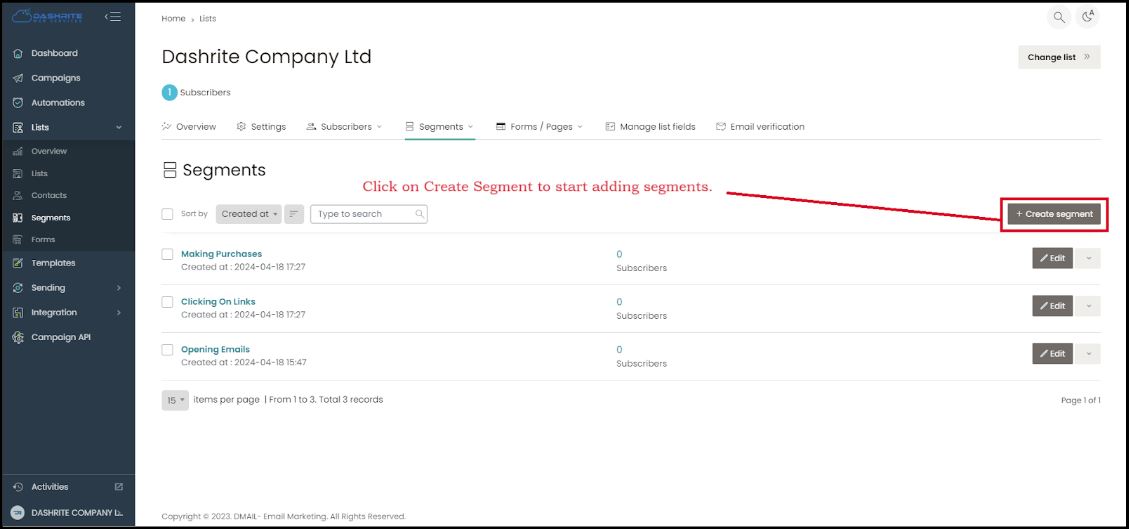
To add or manage segments, check your left dashboard panel. You will find segments below Lists. To create and manage segments, click “segments.” Then, click on Create Segments to start adding segments.
Forms
Forms in email marketing are an essential tool for collecting information from subscribers. They are not limited to gathering contact details, demographic information, and preferences from potential leads or existing customers. Businesses can capture valuable data by embedding forms in emails or linking to them from email content. These forms are versatile, adapting to different marketing strategies and helping businesses better understand their audience.
Create /Building Forms
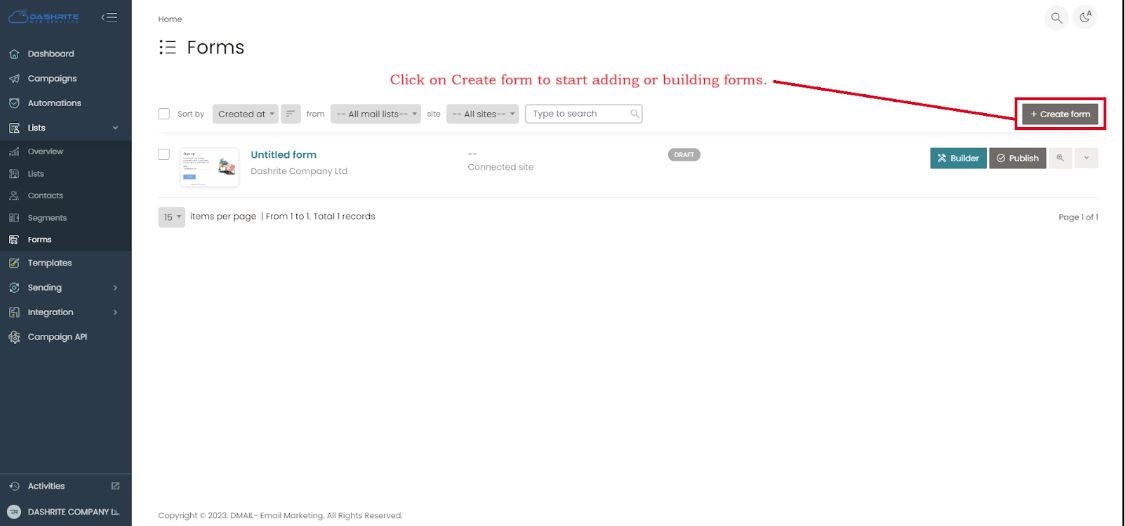
To build or manage forms, check your left dashboard panel. You will find the form below Lists. To create and manage forms, click “Forms.” Then, click on Create Form to start adding forms.
Templates
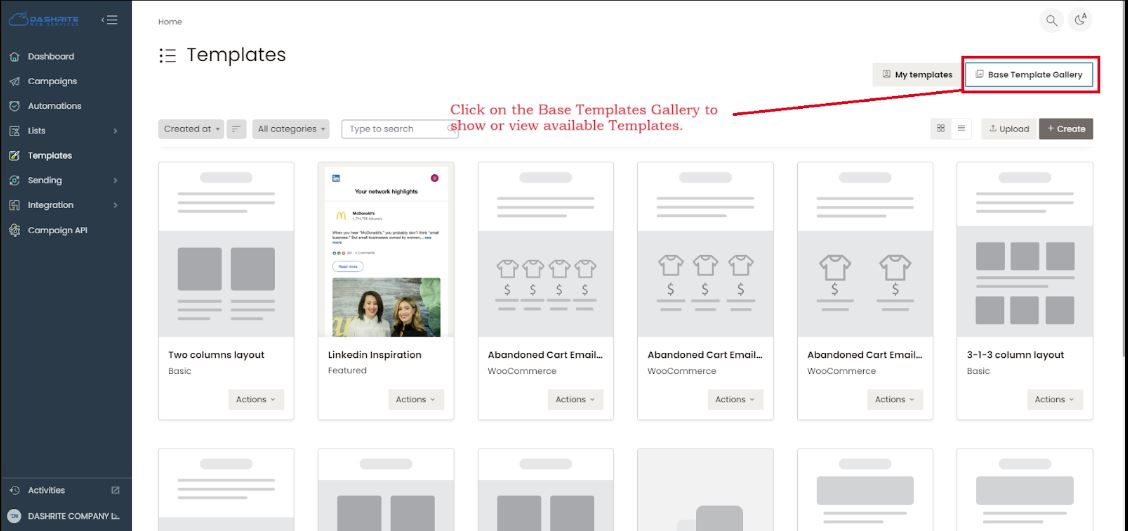
The Dmail email platform comes with prebuilt base Templates; you can use them by modifying them to be your own. To do this, you go to your left dashboard panel. You will find Templates. Click on the Base Templates Gallery to show or view available Templates.