Howdy! How can we help you?
Import Video To DashTube
How To Import Video To DashTube
You can import videos on DashTube in a few easy steps. Use the instructions below to import your videos from a computer or a mobile device from another website. Importing may not be available with supervised experiences on DashTube. Learn more here.
Importing videos in DashTube.
- Sign in to DashTube.
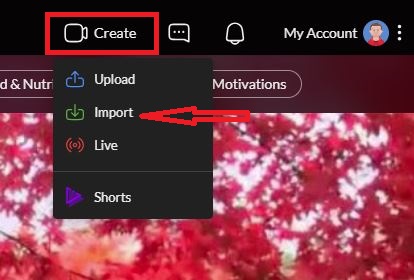
- In the top-right corner, click CREATE 📷 , and you will see a couple of ways to add the video you want by uploading, importing, or adding a short video. But for now, we will use the Import videos, and Click on it.
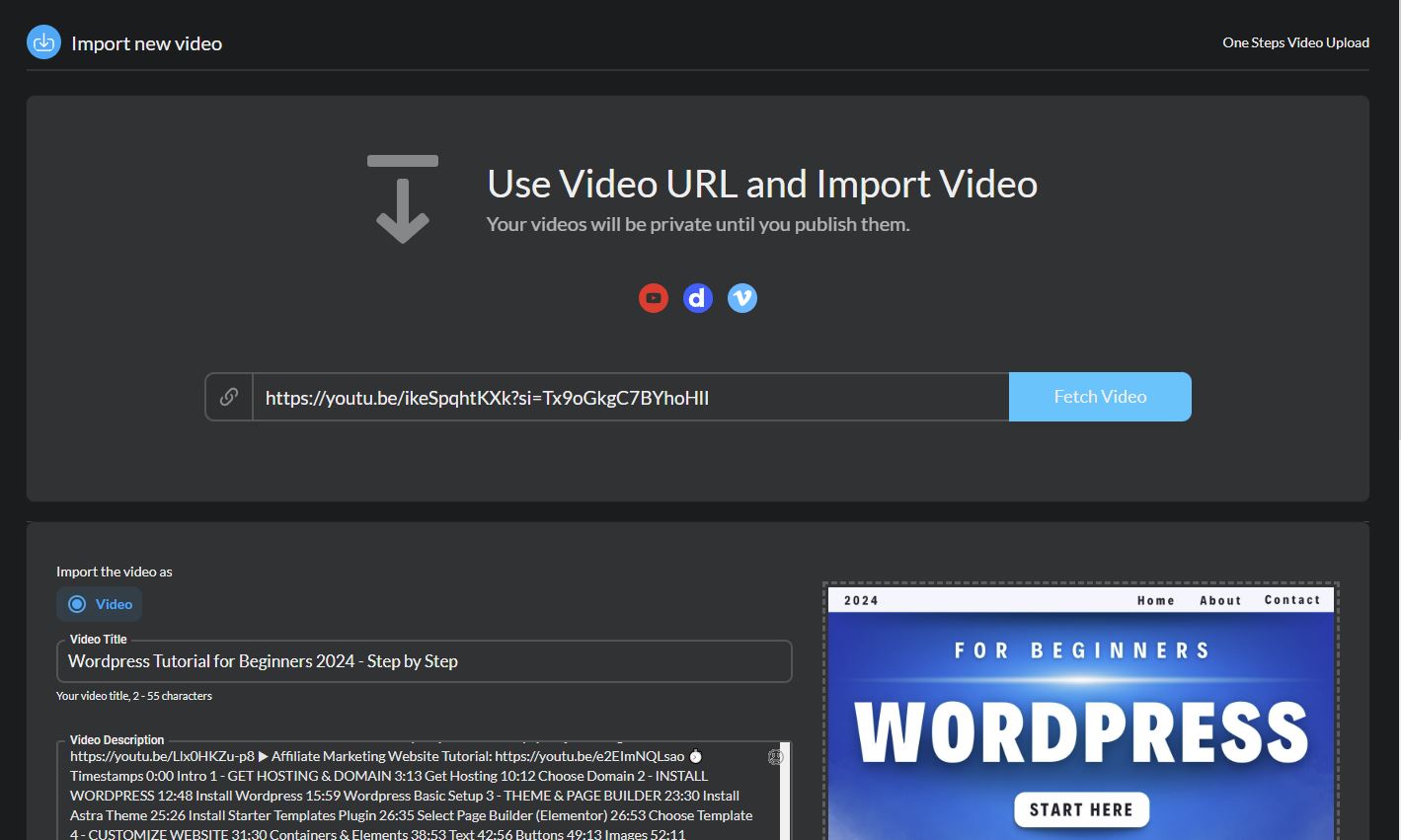
3. Copy the video URL you want to import from another website and paste it into the URL space provided when clicked on the import.
4. After importing the URL of the video you want, you must give it a title and a description of what you want it to be.
5. After that, Publish it.