Howdy! How can we help you?
Advertising On DashTube
How To Advertise On DashTube
Can I advertise on DashTube? DashTube allows you to promote your products or services to other users on the website.
Here are the steps to follow for a successful advertisement.
- Sign in to DashTube.
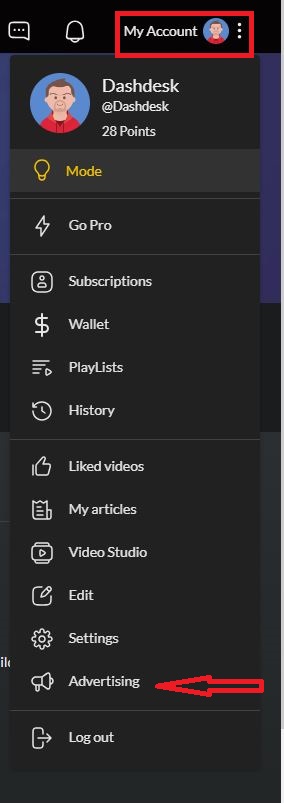
- Click on My Account at the top right corner.
- Select Advertising from the dropdown menu.
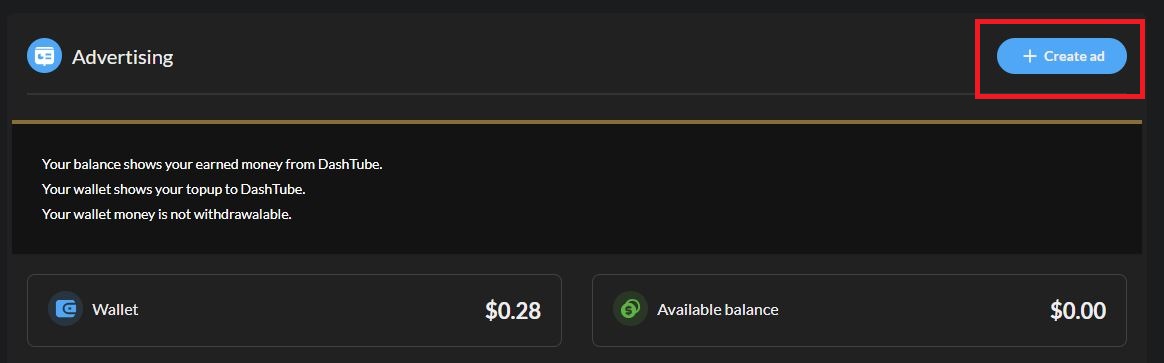
4. Click on Create Ads at the top right corner.
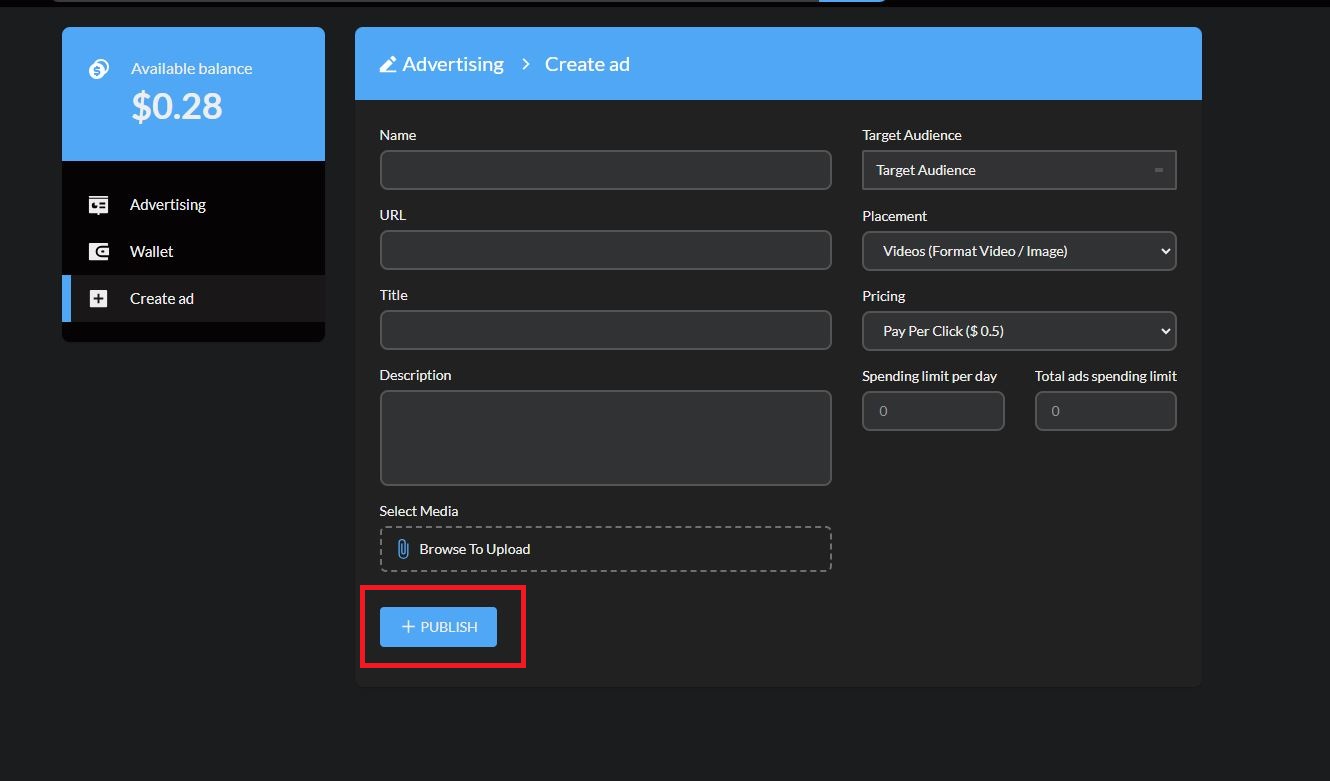
5. Fill in the Name, URL, Description, Some media of what you want to advertise, and how much to send on a click.
6. Click Publish.
NOTE: You have to make sure there is enough money to run the Ads.
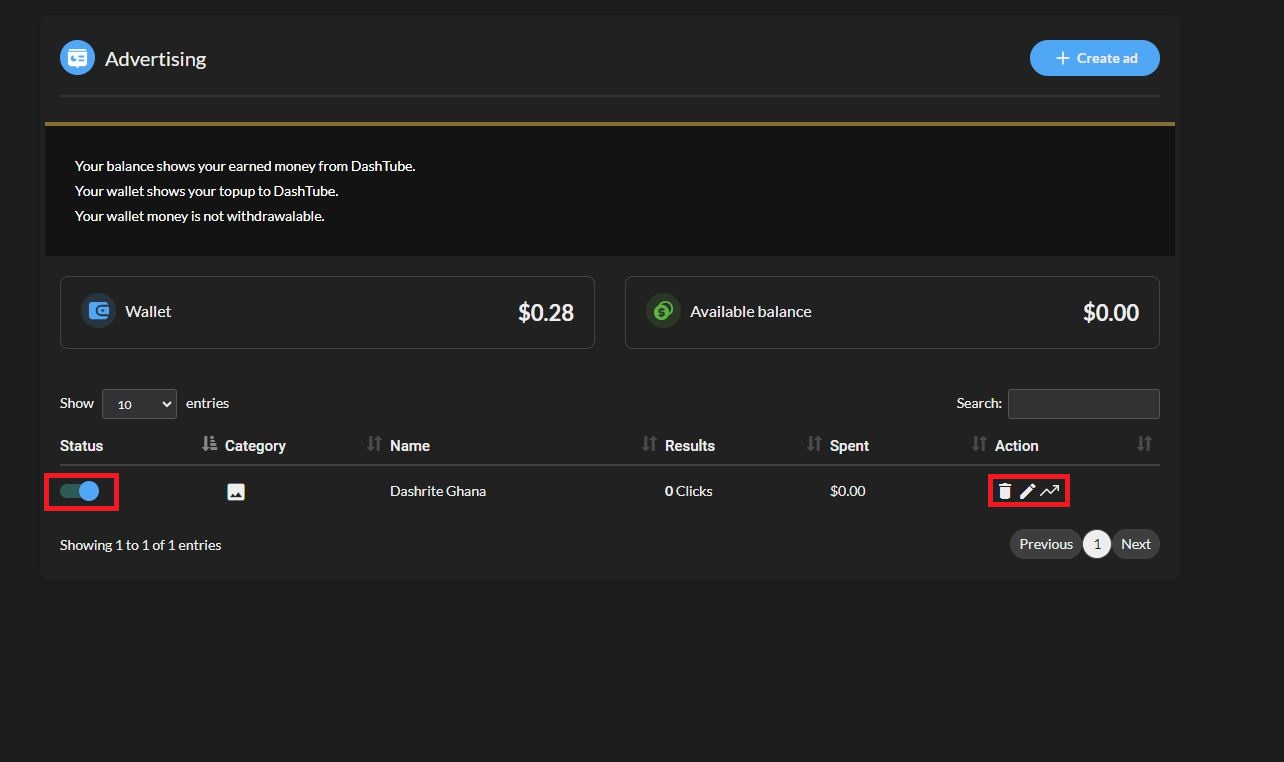
You can view all your ads, edit them, and see how they work on the website. You can also turn them on and off whenever you want them. It can be deleted when you want to.