
Get Started Creating DashTube Shorts.
How To Start Creating DashTube Shorts Videos.
DashTube Shorts is a way to connect with a new audience using a smartphone and the DashTube app’s Shorts camera. DashTube’s Shorts creation tools make it easy to create short-form videos up to 60 seconds long with our multi-segment camera.
Subscribe to the DashTube Pro for the latest news, updates, and tips.
You can upload videos on DashTube in a few easy steps. Use the instructions below to upload your videos from a computer or a mobile device.
Shorts videos in DashTube Studio.
- Sign in to DashTube.
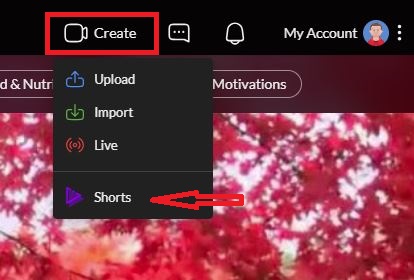
- In the top-right corner, click CREATE 📷 , and you will see a couple of ways to add the video you want: uploading, importing, or adding a short video. But for now, we will use the Shorts videos. Click on it.
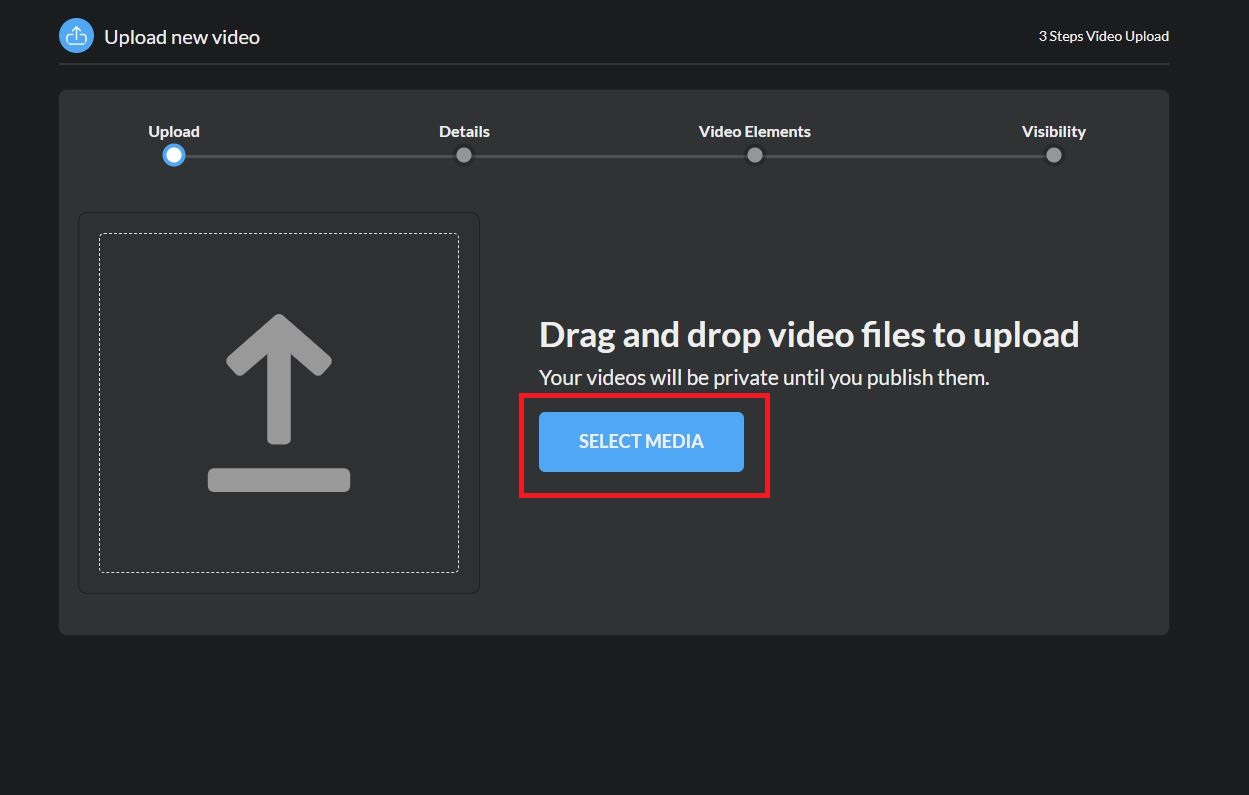
3. Click on Select Media for the file you’d like to create as a short video. You can upload one video at a time. Be sure to click Edit on each file to edit your video details.
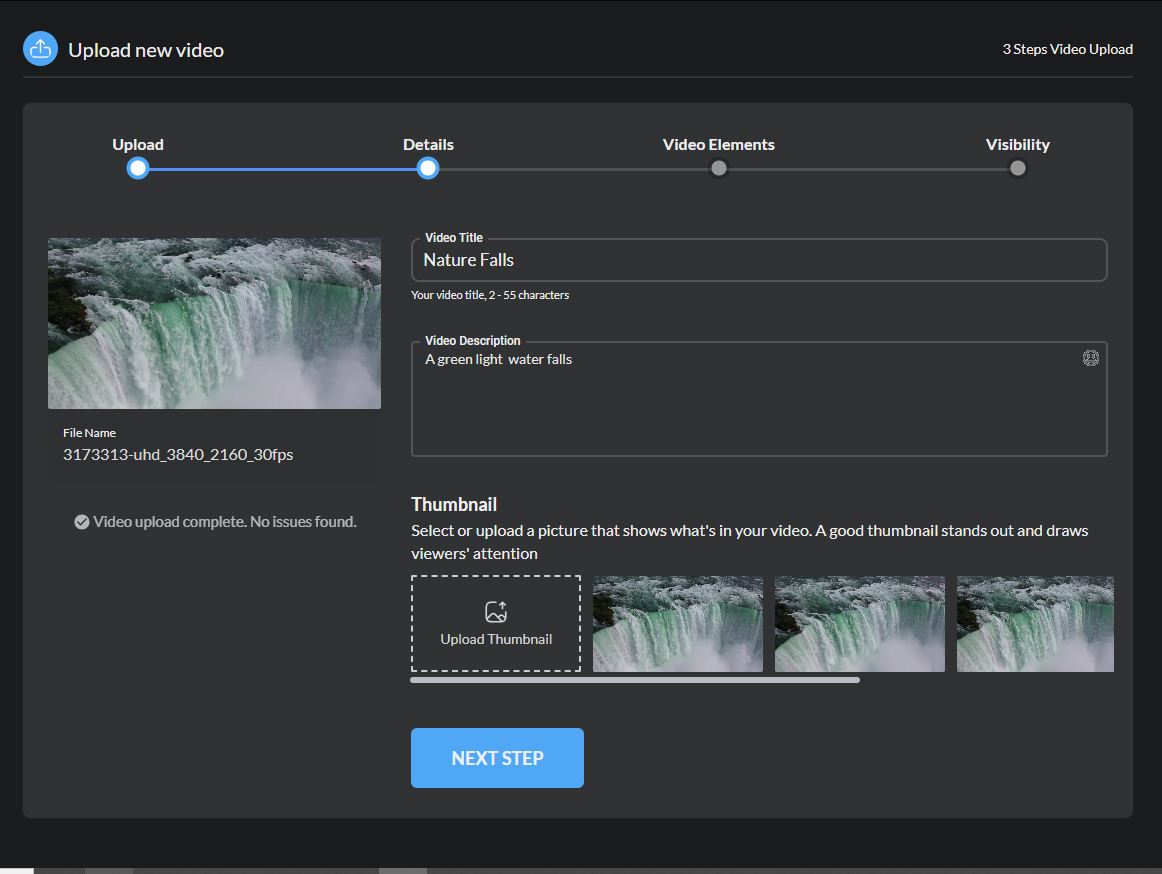
4. After selecting the video you want to make short, you must give a title to it, a description of it, and a thumbnail of what you want it to be.
5. The type of video, the range of ages to see, and to be public or private and Publish it.