
Dmail Blacklist
Dmail Blacklist
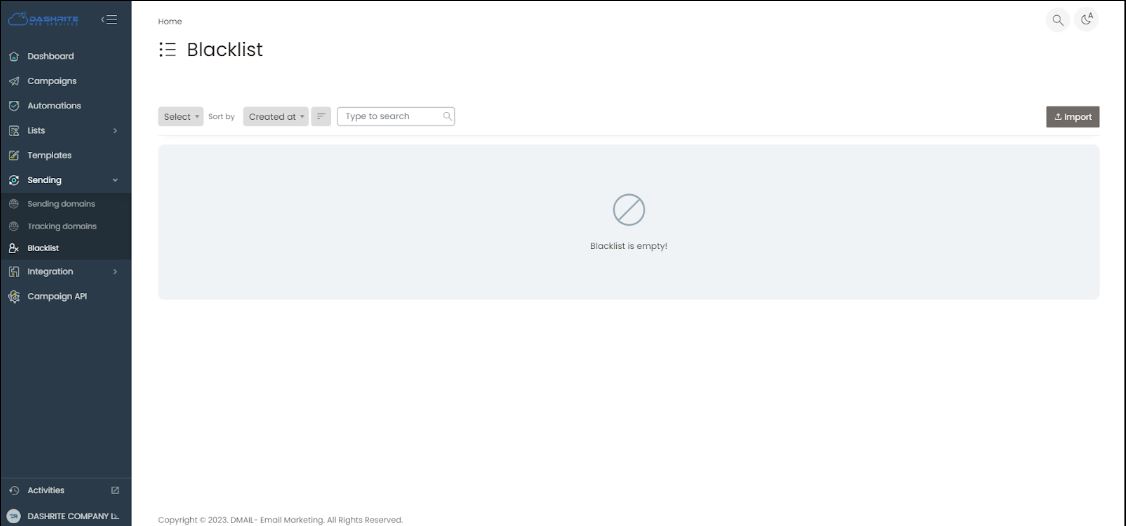
In the Dmail Marketing application, the Blacklist is a feature that allows you to maintain a list of email addresses or domains that you do not want to send emails to. This can be useful for ensuring that you do not send emails to unsubscribed contacts or those who have previously marked your emails as spam. By maintaining a Blacklist, you can effectively manage your email marketing campaigns and maintain a good sender reputation.
How to add/import Blacklist in Dmail Email Marketing application
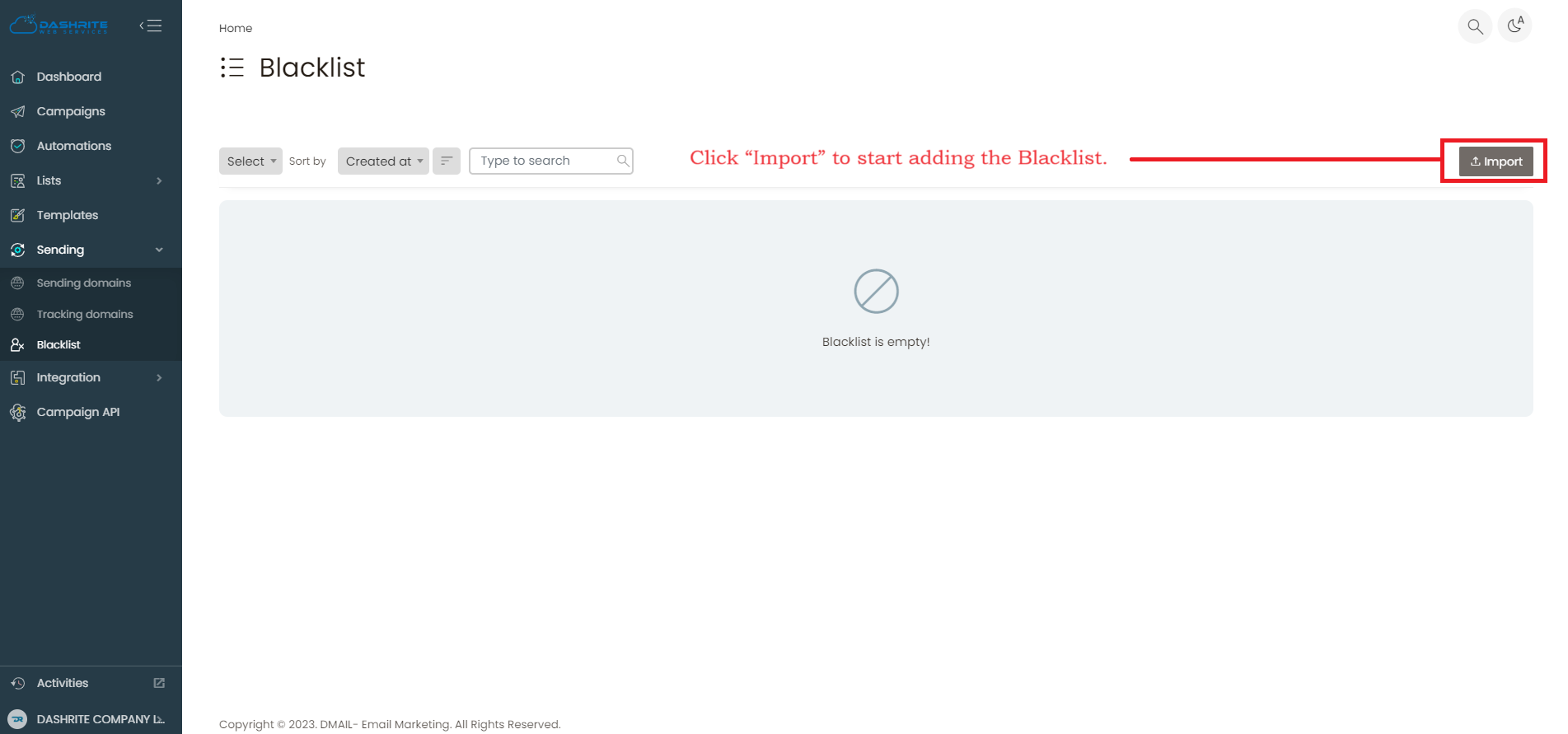
To add or manage Blacklist, check your left dashboard panel. When you click Sending, the Blacklist will be below the Sending section.
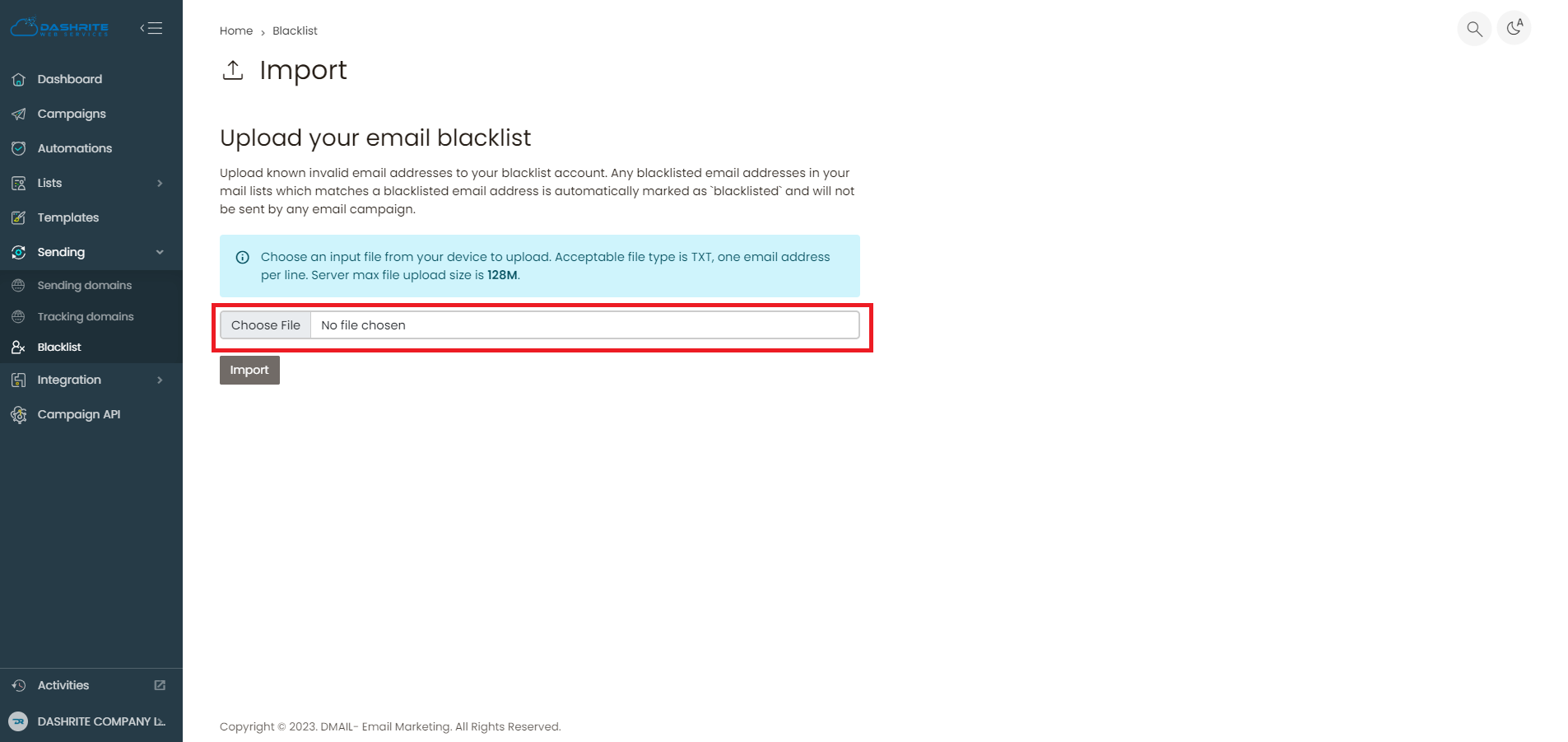
To add and manage the Blacklist, click “Blacklist.” Then, click “Import” to start adding the Blacklist.
Best practice
In email marketing, a blacklist is a list of email addresses or domains that are identified as sources of spam. When an email address or domain is blacklisted, it means that email service providers block emails sent from that address or domain and may not be delivered to recipients’ inboxes. Being blacklisted can significantly impact the deliverability of your email campaigns and can harm your sender’s reputation. It’s essential to regularly monitor and manage your email-sending practices to avoid being blacklisted.