
Howdy! How can we help you?
Adding Custom Attibutes
Adding Custom Attributes
Custom attributes add attributes to the <form> HTML tag. Using it requires a bit of technical knowledge. Most users will never need this; it is just used rarely.
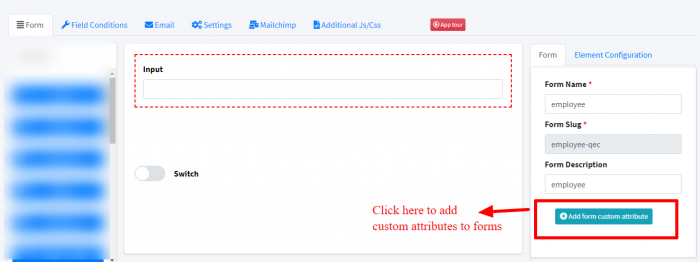
Adding custom attributes to forms
Go to the add/edit form, And do as given in the screenshot below:
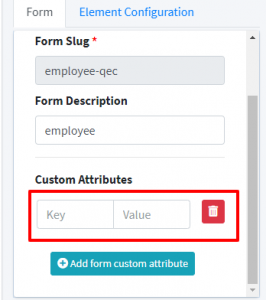
Add key-value as given below:
Adding custom attributes to form input fields:
- Click on any input fields in the add/edit form screen.
- Click on Element configuration.
- There, you’ll find the “Add custom attribute” button.