
Howdy! How can we help you?
Account & Profile Navigation
DashCast Account & Profile Navigation.
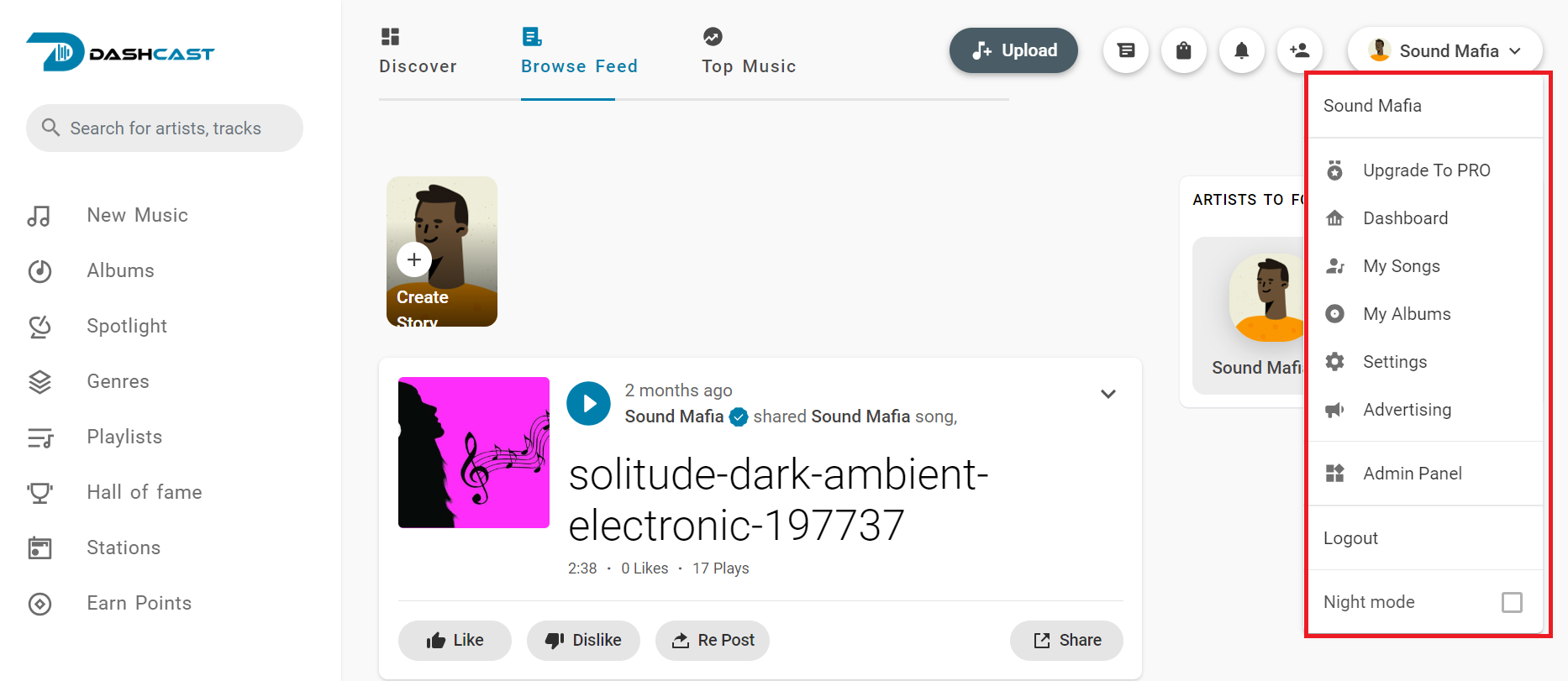
My Account
The name or username you used to create the account is in the top right corner. It has many features under it.
Some of the features are:
Account Profile:
You can access your account details by clicking on your account profile and selecting your account details by clicking on your username from the dropdown menu to get to your account profile.
Your profile contains all your Activities, audio, Albums, Flowers, and People you follow. You can also edit your profile or audio there.
On the Edit Profile side, as shown below,
- You can make multiple edits to your account, such as changing your Email Address, Full name, or username, and add a platform to your profile when you have your platform.
- You can check your balance by clicking settings and then going to the balance section on the edit profile tab. You can also withdraw your balance by filling out the space available to withdraw your money through PayPal.
You can know your withdrawal by clicking “SUBMIT WITHDRAWALS REQUEST” at the top of the balance page.
- You can add an address to your profile by selecting My Address on the edit profile panel and adding your Country, Phone Number, City, and Postcode/Zip to your account.
- You can Invite others to your profile by selecting Invitation links on the settings profile panel and sharing them with others to invite them to your account.
- Your wallet is visible on the settings profile panel. You can use it to top up your credits on the site and buy something.
- Your Interest Settings are in the Settings panel. You can use them to change the type of music on your home page, such as poetry or hip-hop.
- Your Notification Settings is visible on the settings profile panel. You can turn on and off the one from which you want to receive notifications.
- You can change your password by clicking on the settings profile panel. This helps you change your password to a secure one.
- Manage Sessions helps you manage control devices connected to the platform with your account information, making your account secure. It can be seen on the settings profile panel.
- Two-factor authentication helps keep your account secure from others or fraudsters. It sends a code to your phone whenever someone logs into the account. By default, it is disabled; to enable it, you must go to settings or the settings profile panel to activate it.
- My information helps you generate a file of your Information, Followers, Songs, and other items; it is visible on the settings profile panel.
- Blocked Users are those who can’t see your songs. You can also unblock them by going to the block list, which can be found in the settings profile panel.