
Howdy! How can we help you?
Upload & Import Of Audio
Upload And Import of Audio
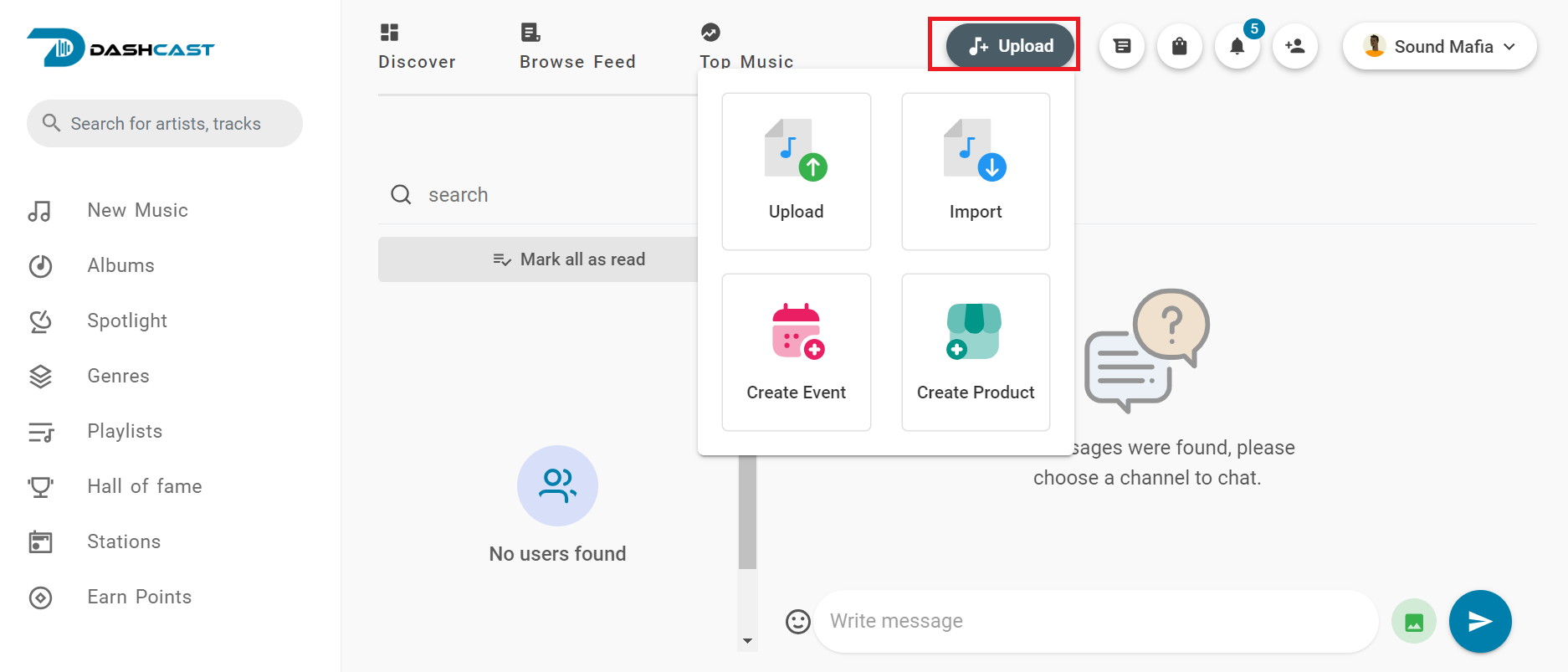
Note: To upload content on Dashcast, you must be an artist or original creator of the content you want to upload.
- UPLOAD and IMPORT: The upload or import button helps users or artists promote their music, audio, or podcasts on the platform with a click.
There are two ways to upload music to the platform.
- UPLOAD: This helps you to upload music straight from your computer or device to the platform. It lets you add the lyrics of the music/audio to it so the user will see under it and select the type of music and other descriptions for other users to know. After entering all requirements, you can publish it to get to the platform. As seen below
- IMPORT: This helps you collect your music from the internet, which is from your iTunes only to the platform using the URL (example https://music.apple.com/us/album/austin/1688021170i=1445055017) of the music you want to import from iTunes.
After editing all requirements, you can publish it to get to the platform.
NOTE: You can re-edit or delete the track from the platform by going to the track profile and clicking on more to delete or edit it.