
Creating an Account
Creating A DashCast Account.
Dashcast platform offers a Freemium model service, where you can register an account for free but may need to purchase to listen to premium Audio services.
A free account gives you access to DashCast services, and a paid account gives you full access to all services and features.
You have the option to stay with a Free or upgraded Paid membership.
However, you must enter payment information to enjoy a premium membership if you select a paid membership.
Please note that to create a DashCast account, you must be at least 13 years old.
- Click on the blank image sign at the far top corner to REGISTER from the drop-down menu.
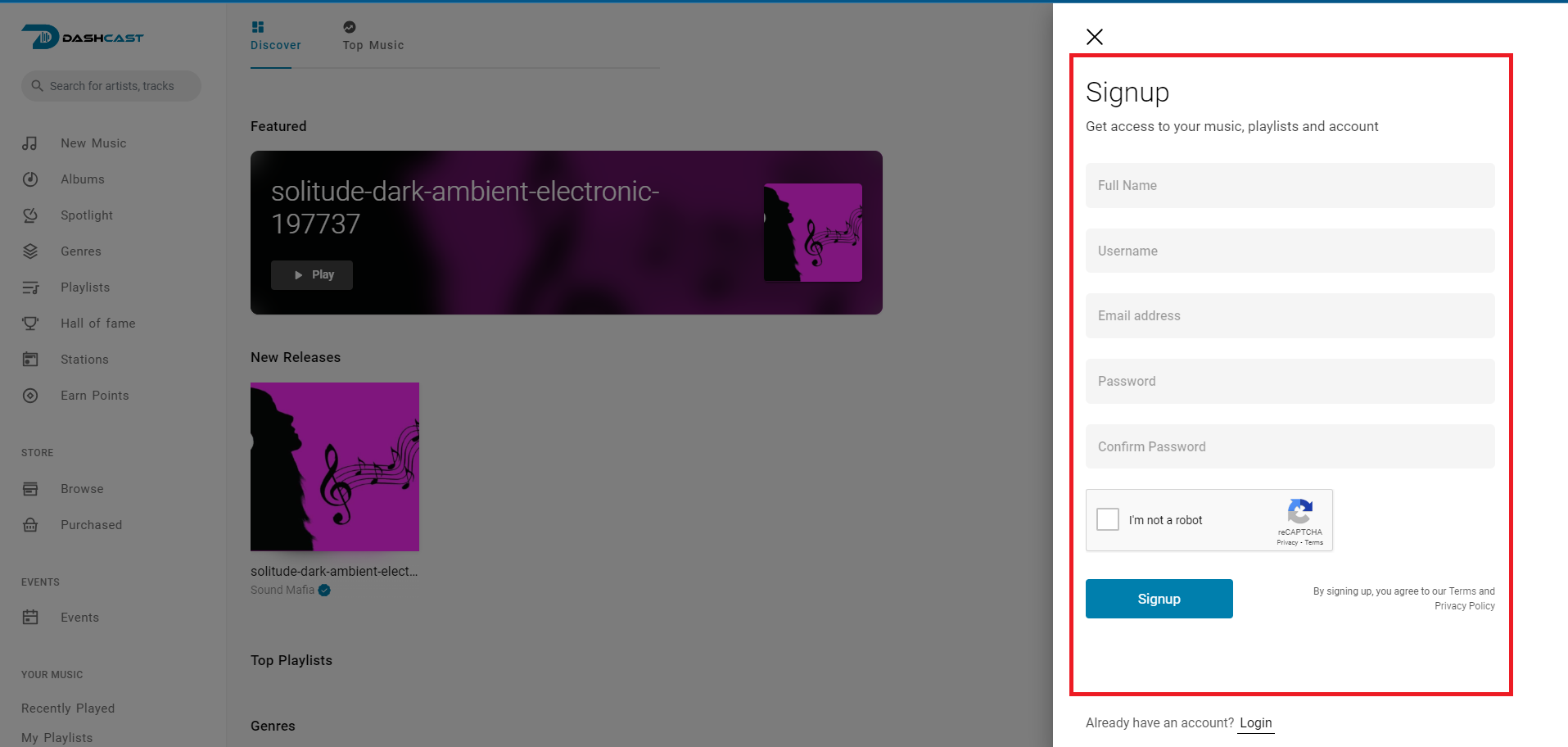
- Fill in the “SIGN UP” form to access your music, playlist, and account.
- Remember to click on the “I am not a robot”.
- Finally, click on signup to be taken to your Account Dashboard.
If you already have an Account on this platform, simply log into your already existing account by Clicking on
- Click on the blank image feature seen on your interface and select “Log in” from the drop-down menu.
- Enter your USERNAME and PASSWORD.
- Click on the login button to get onto your Account Dashboard.
Confirm Your Account
Finish creating your DashCast account and confirm your email or mobile number.
To finish creating an account, you need to confirm that you own the email or mobile phone number that you used to create the account when required:
- When mobile app verification is active, you can confirm your mobile number and enter the code you get via text message (SMS) in the Confirm box that shows up when you log in or, to verify your email, click or tap the link in the email you got when you created the account.
- Confirm your email or mobile number to ensure we send your account info to the right place.